> ## Documentation Index
> Fetch the complete documentation index at: https://docs.repacket.com/llms.txt
> Use this file to discover all available pages before exploring further.
# Groups
> Organize users into groups for simplified access control and policy management
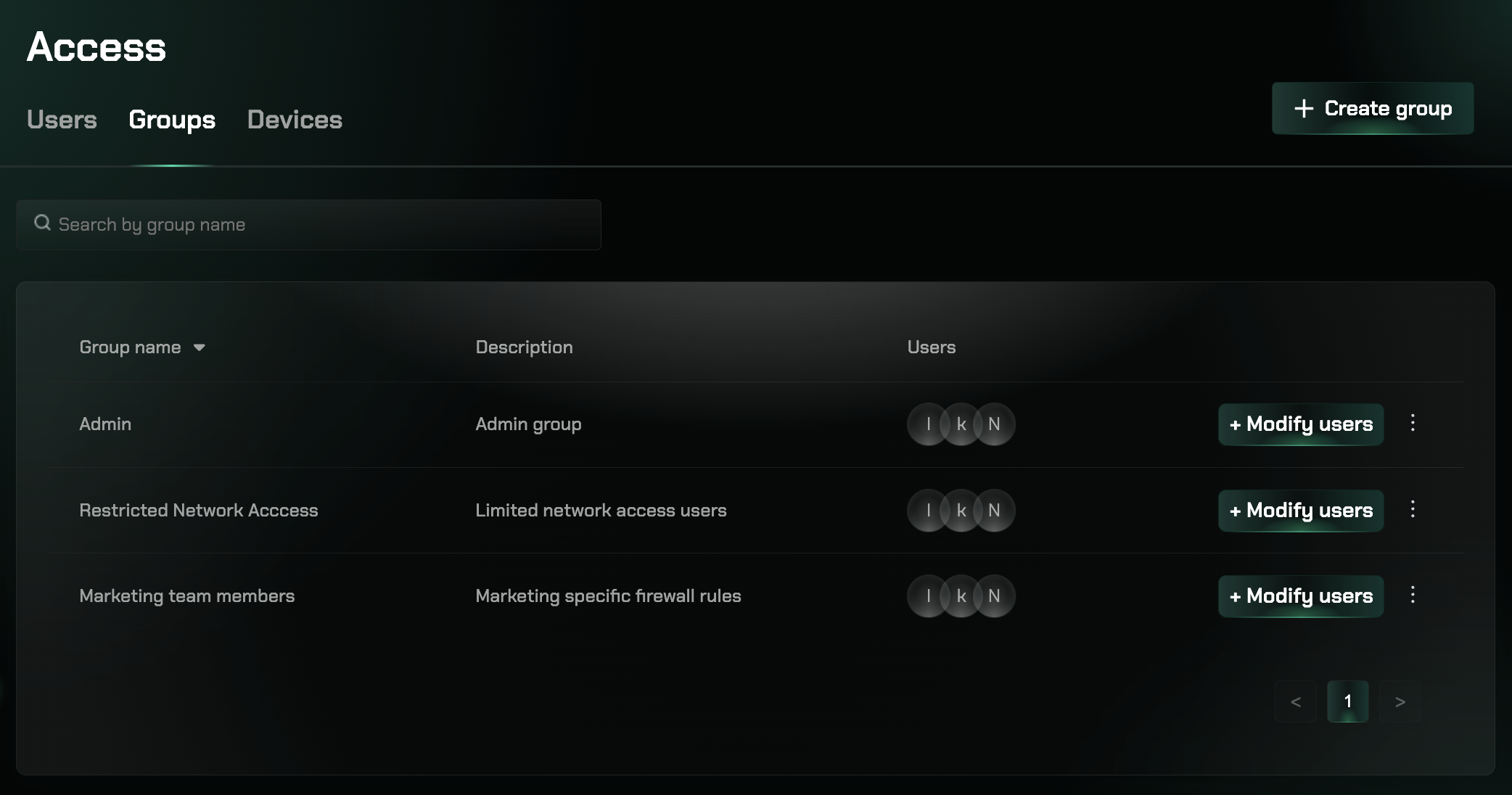
Groups allow you to create logical groupings of users based on departments, teams, or roles. Apply firewall rules, protections, and policies to entire groups to simplify user management and access control.
## Overview
Organize users into groups to simplify access control and policy management across your organization. Groups allow you to apply policies and rules to multiple users at once, making it easier to manage access permissions and security settings.
 ## Key Features
Apply firewall rules, protections, and policies to entire groups
Simplify user management by making bulk changes to multiple users
## Using Groups
Groups allow you to:
* Create logical groupings of users based on departments, teams, or roles
* Apply firewall rules, protections, and policies to entire groups
Access the Groups section at [app.repacket.com/access#groups](https://app.repacket.com/access#groups).
## Related Features
Manage individual user accounts and permissions
Monitor devices connected to your organization
## Key Features
Apply firewall rules, protections, and policies to entire groups
Simplify user management by making bulk changes to multiple users
## Using Groups
Groups allow you to:
* Create logical groupings of users based on departments, teams, or roles
* Apply firewall rules, protections, and policies to entire groups
Access the Groups section at [app.repacket.com/access#groups](https://app.repacket.com/access#groups).
## Related Features
Manage individual user accounts and permissions
Monitor devices connected to your organization