> ## Documentation Index
> Fetch the complete documentation index at: https://docs.repacket.com/llms.txt
> Use this file to discover all available pages before exploring further.
# Users
> Manage user accounts, roles, and access permissions across your organization
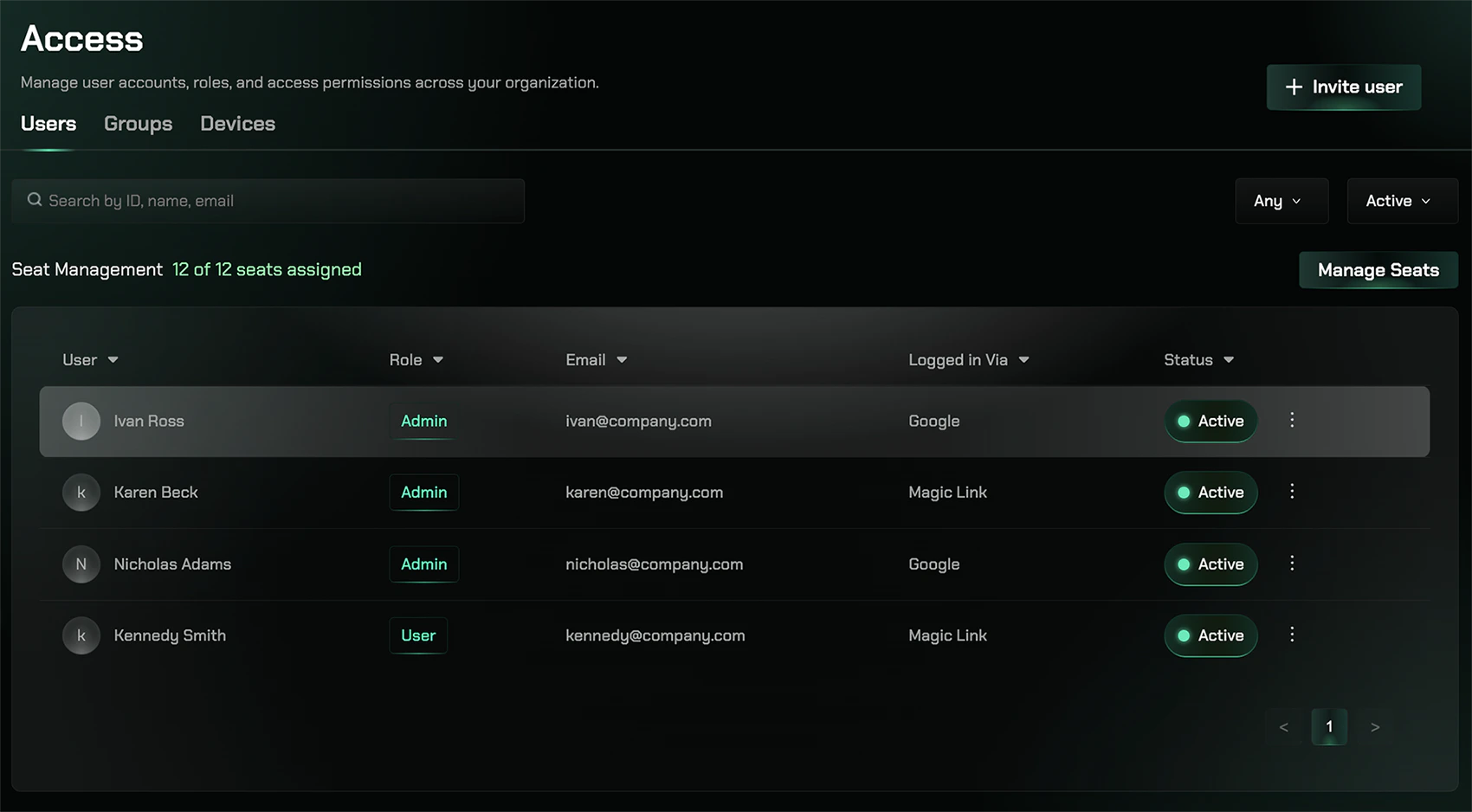
The Users section provides a comprehensive interface for managing all user accounts in your organization. From this page, you can view users, assign roles and permissions, manage access, and configure user-specific settings.
## Overview
Manage user accounts, roles, and access permissions across your organization. The Users section provides a comprehensive interface for managing all user accounts in your organization.
 ## Key Features
View all users and their current status
Assign seats to active users
## Managing Users
As an administrator, you can add or invite new users to your organization through the **Invite User** button located in the top right corner of the Users page.
Access the Users section at [app.repacket.com/access#users](https://app.repacket.com/access#users).
## Seats
Seats refer to the number of people who have an active subscription in your organization. The seat count determines how many users can have active access to Repacket at any given time. You can view and adjust your seat count under the **Billing** tab in your dashboard. Managing seats allows you to control subscription costs and ensure you have the appropriate number of licenses for your organization's needs.
## Related Features
Organize users into groups for simplified access control
Monitor devices associated with users
## Key Features
View all users and their current status
Assign seats to active users
## Managing Users
As an administrator, you can add or invite new users to your organization through the **Invite User** button located in the top right corner of the Users page.
Access the Users section at [app.repacket.com/access#users](https://app.repacket.com/access#users).
## Seats
Seats refer to the number of people who have an active subscription in your organization. The seat count determines how many users can have active access to Repacket at any given time. You can view and adjust your seat count under the **Billing** tab in your dashboard. Managing seats allows you to control subscription costs and ensure you have the appropriate number of licenses for your organization's needs.
## Related Features
Organize users into groups for simplified access control
Monitor devices associated with users