> ## Documentation Index
> Fetch the complete documentation index at: https://docs.repacket.com/llms.txt
> Use this file to discover all available pages before exploring further.
# App Discovery
> Discover what applications your organization is using and monitor file uploads across web applications.
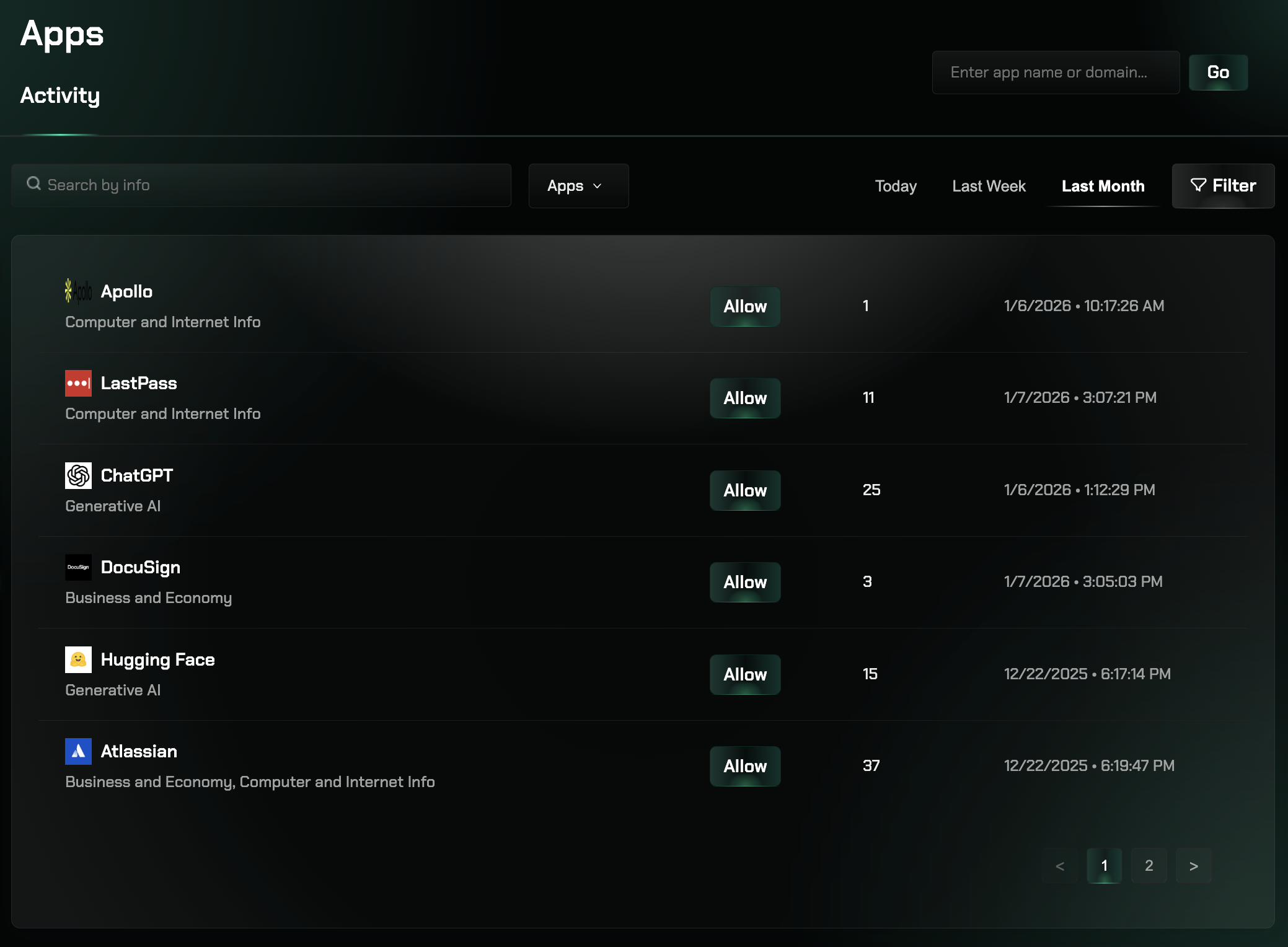
App Discovery provides comprehensive visibility into your organization's web application usage by analyzing network traffic patterns automatically.
## Overview
App Discovery leverages the traffic data collected by Repacket to provide comprehensive visibility into your organization's web application usage. This feature automatically identifies applications being accessed by your users, tracks usage patterns, and monitors file upload activities across your organization.
 Identify all web applications used across your organization from network traffic
Monitor which users are accessing specific applications and for how long
Track file uploads to external services without accessing file contents
Comprehensive reporting and trend analysis for informed decision making
## How It Works
App Discovery transforms network traffic into actionable insights through automated analysis. The system identifies applications, categorizes them by type and risk level, and provides detailed usage analytics without compromising user privacy.
Applications are automatically categorized into groups like SaaS Applications, Communication Tools, Development Platforms, File Sharing Services, and Social Media Platforms.
## Accessing App Discovery
Go to the [Apps section](https://app.repacket.com/apps) in your Repacket dashboard.
Browse the automatically discovered applications in your organization's catalog.
Click on specific applications to view detailed usage statistics and user activity.
## Key Benefits
Automatically identify unauthorized or unknown applications being used across your organization, helping maintain security and compliance standards.
Monitor file uploads to external services to identify potential data exfiltration attempts and implement appropriate controls.
Optimize software spending by identifying underutilized applications and making data-driven decisions about license renewals.
Generate detailed reports for auditing application usage and demonstrating control over organizational data.
## Privacy and Security
App Discovery is designed with privacy in mind, collecting only application identifiers and usage metadata without accessing file contents or personal data. All discovery data is encrypted and securely stored, supporting compliance frameworks including GDPR and SOC 2 standards.
## Related Features
Control access to discovered applications with granular firewall rules
Apply DLP policies to protect sensitive data in discovered applications
Organize and categorize discovered applications for better management
Manage users and groups for application access and reporting
Identify all web applications used across your organization from network traffic
Monitor which users are accessing specific applications and for how long
Track file uploads to external services without accessing file contents
Comprehensive reporting and trend analysis for informed decision making
## How It Works
App Discovery transforms network traffic into actionable insights through automated analysis. The system identifies applications, categorizes them by type and risk level, and provides detailed usage analytics without compromising user privacy.
Applications are automatically categorized into groups like SaaS Applications, Communication Tools, Development Platforms, File Sharing Services, and Social Media Platforms.
## Accessing App Discovery
Go to the [Apps section](https://app.repacket.com/apps) in your Repacket dashboard.
Browse the automatically discovered applications in your organization's catalog.
Click on specific applications to view detailed usage statistics and user activity.
## Key Benefits
Automatically identify unauthorized or unknown applications being used across your organization, helping maintain security and compliance standards.
Monitor file uploads to external services to identify potential data exfiltration attempts and implement appropriate controls.
Optimize software spending by identifying underutilized applications and making data-driven decisions about license renewals.
Generate detailed reports for auditing application usage and demonstrating control over organizational data.
## Privacy and Security
App Discovery is designed with privacy in mind, collecting only application identifiers and usage metadata without accessing file contents or personal data. All discovery data is encrypted and securely stored, supporting compliance frameworks including GDPR and SOC 2 standards.
## Related Features
Control access to discovered applications with granular firewall rules
Apply DLP policies to protect sensitive data in discovered applications
Organize and categorize discovered applications for better management
Manage users and groups for application access and reporting