> ## Documentation Index
> Fetch the complete documentation index at: https://docs.repacket.com/llms.txt
> Use this file to discover all available pages before exploring further.
# Audit Logs
> Complete audit trail of user actions and system events
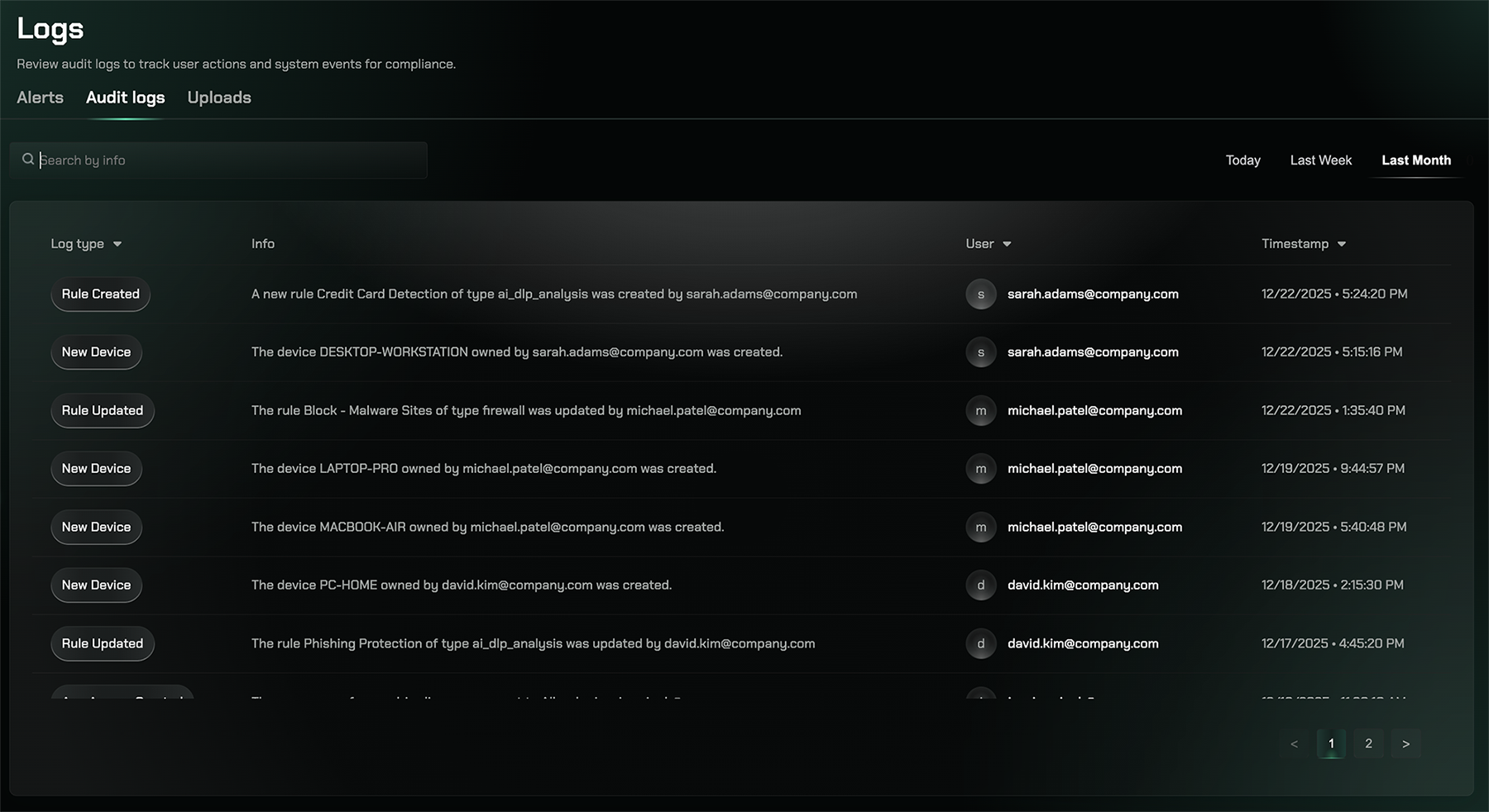
Audit Logs provide a comprehensive record of all user activities, system changes, and administrative actions within your Repacket environment. Maintain compliance and investigate incidents with detailed audit trails.
## Overview
Audit Logs provide a comprehensive record of all user activities, system changes, and administrative actions within your Repacket environment. Maintain compliance and investigate incidents with detailed audit trails.
 ## Key Features
Track all user actions, login attempts, and configuration changes
Monitor which users accessed which resources and when
## Accessing Audit Logs
Visit the [Audit Logs page](https://app.repacket.com/logs#auditlogs) in your Repacket dashboard to review activity history and system events.
## Related Features
View real-time security alerts and notifications
Monitor file upload activities and data transfers
## Key Features
Track all user actions, login attempts, and configuration changes
Monitor which users accessed which resources and when
## Accessing Audit Logs
Visit the [Audit Logs page](https://app.repacket.com/logs#auditlogs) in your Repacket dashboard to review activity history and system events.
## Related Features
View real-time security alerts and notifications
Monitor file upload activities and data transfers