> ## Documentation Index
> Fetch the complete documentation index at: https://docs.repacket.com/llms.txt
> Use this file to discover all available pages before exploring further.

# MacOS Install

> Install Repacket on your MacOS computer.

<Note>Repacket can be installed and uninstalled silently using a [compatible MDM](/setup/mdm/guides).</Note>
<Warning>You need administrator privileges to install Repacket. Our [MDM deployment guides](/setup/mdm/guides) may offer a workaround.</Warning>

<Steps>
  <Step title="Download the MacOS agent">
    <CardGroup cols={2}>
      <Card title="Repacket Agent (MacOS)" icon="apple" href="https://repacket-installers.s3.us-east-1.amazonaws.com/Repacket.pkg" />
    </CardGroup>
  </Step>

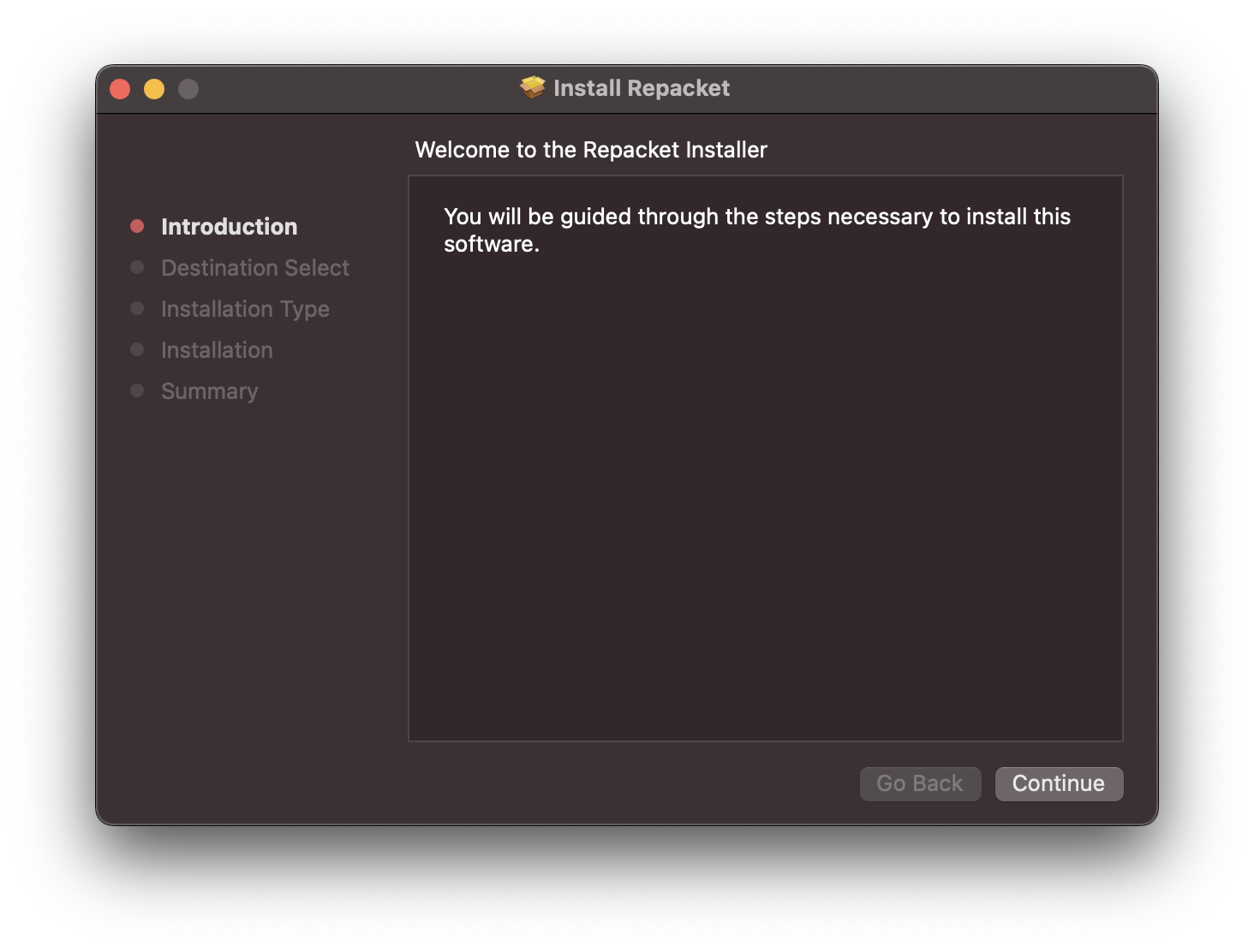
  <Step title="Install the agent">
    <Frame>
      <img src="https://mintcdn.com/repacket/07SOttYFslgCGKhI/images/macos-install.png?fit=max&auto=format&n=07SOttYFslgCGKhI&q=85&s=8a7234fbfc2e7ff67b036c549af07b5a" alt="" width="1464" height="1112" data-path="images/macos-install.png" />
    </Frame>
  </Step>

  <Step title="Allow the proxy configuration">
    This step allows the Repacket agent to analyze your traffic on the device.

    Click the "Allow" prompt
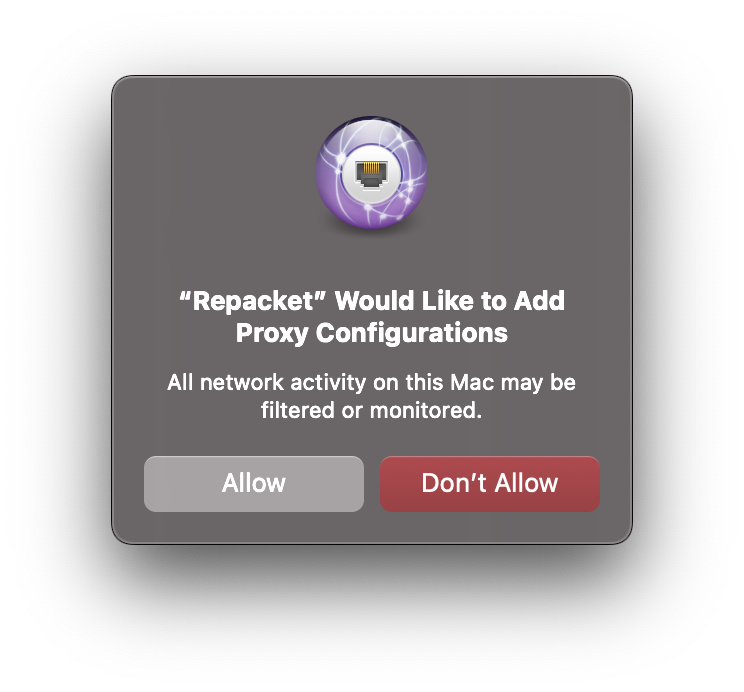
    <Frame>
      <img src="https://mintcdn.com/repacket/x9Fsst5mYSfkF6RK/images/approve-proxy.png?fit=max&auto=format&n=x9Fsst5mYSfkF6RK&q=85&s=7bcd177aaf51b351751e2a2d3e432b2d" alt="" width="744" height="692" data-path="images/approve-proxy.png" />
    </Frame>
  </Step>

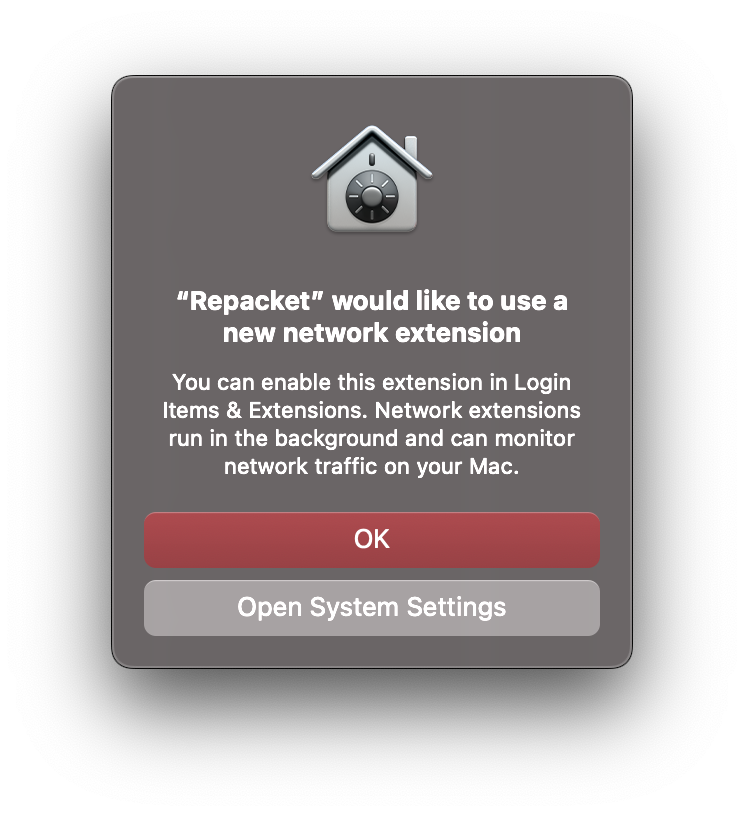
  <Step title="Approve the network extension">
    Repacket uses a MacOS network extension on MacOS to handle routing traffic to our agent.

    Click the "Open System Settings" prompt to enable our network extension.

    <Warning>
      If you lost this menu, you can find it in System Settings > General > Login Items & Extensions.

      Scroll down to "Network Extensions" and click the <Icon icon="circle-info" color="grey" /> icon.
    </Warning>

    <Frame>
      <img src="https://mintcdn.com/repacket/x9Fsst5mYSfkF6RK/images/approve-network-extension.png?fit=max&auto=format&n=x9Fsst5mYSfkF6RK&q=85&s=d36955b0133c0f5fbb4122f8e2f4be40" alt="" width="744" height="816" data-path="images/approve-network-extension.png" />
    </Frame>
  </Step>

  <Step title="Enable extension">
    Finally, toggle our Network Extension to enabled.
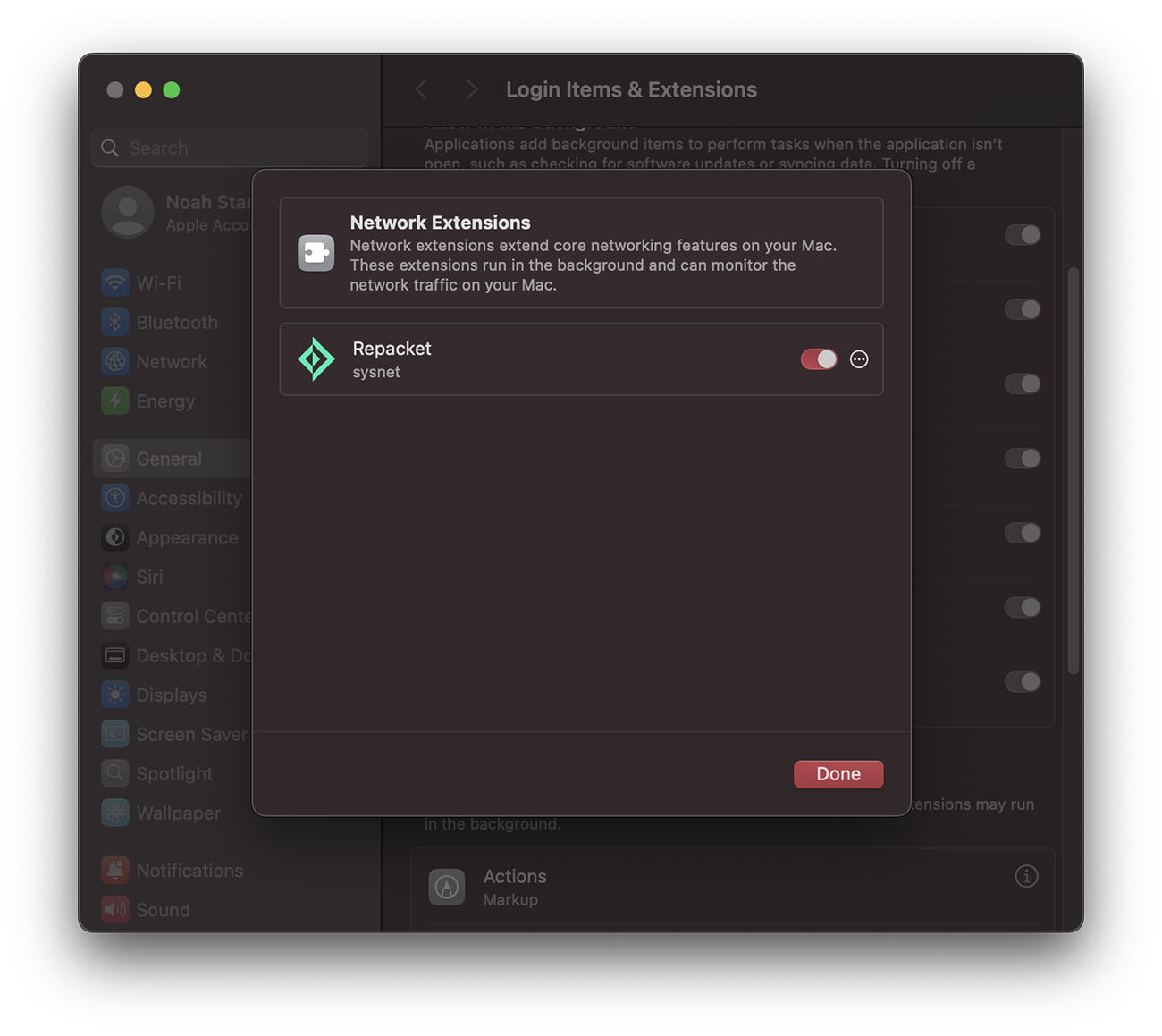
    <Frame>
      <img src="https://mintcdn.com/repacket/HiDWr8fTmbdptRI4/images/settings-network-extension.png?fit=max&auto=format&n=HiDWr8fTmbdptRI4&q=85&s=ebd2957022b8448c5ba559f719e097bc" alt="" width="1300" height="1159" data-path="images/settings-network-extension.png" />
    </Frame>
  </Step>

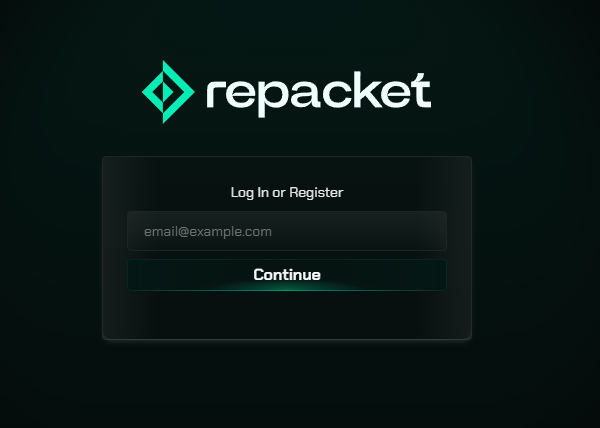
  <Step title="Login to Repacket">
    When you browse to any web page, you will be asked to login to Repacket.
    <Frame>
      <img src="https://mintcdn.com/repacket/07SOttYFslgCGKhI/images/repacket-login.png?fit=max&auto=format&n=07SOttYFslgCGKhI&q=85&s=a7fbe2c779b5958f69eb257d6675f2f0" alt="" width="600" height="428" data-path="images/repacket-login.png" />
    </Frame>

    ![](https://dashboard.mintlify.com/repacket/repacket/editor/images/login-page.png)
  </Step>
</Steps>