> ## Documentation Index
> Fetch the complete documentation index at: https://docs.repacket.com/llms.txt
> Use this file to discover all available pages before exploring further.
# Microsoft Intune
> Deploy Repacket to your Microsoft Intune fleet.
export const Highlight = ({text}) => {text};
# Overview
This guide will walk you through deploying Repacket as an application in your Microsoft Intune environment.
## Deploying
### Windows
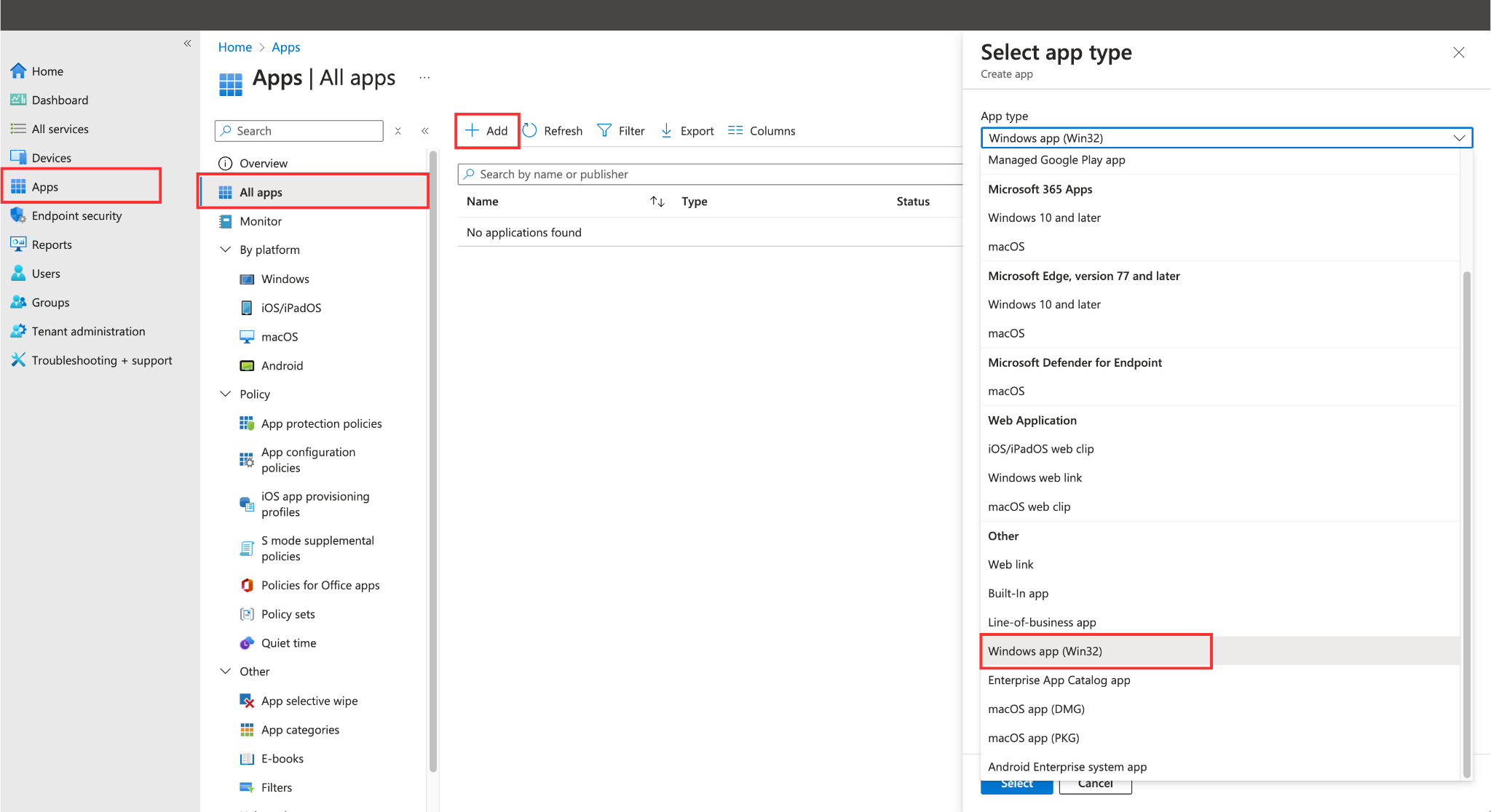
Login to your Intune dashboard, and navigate to >
Click the button at the top of this table to open the new app creation prompt.
Select from the section of the dropdown on your right.
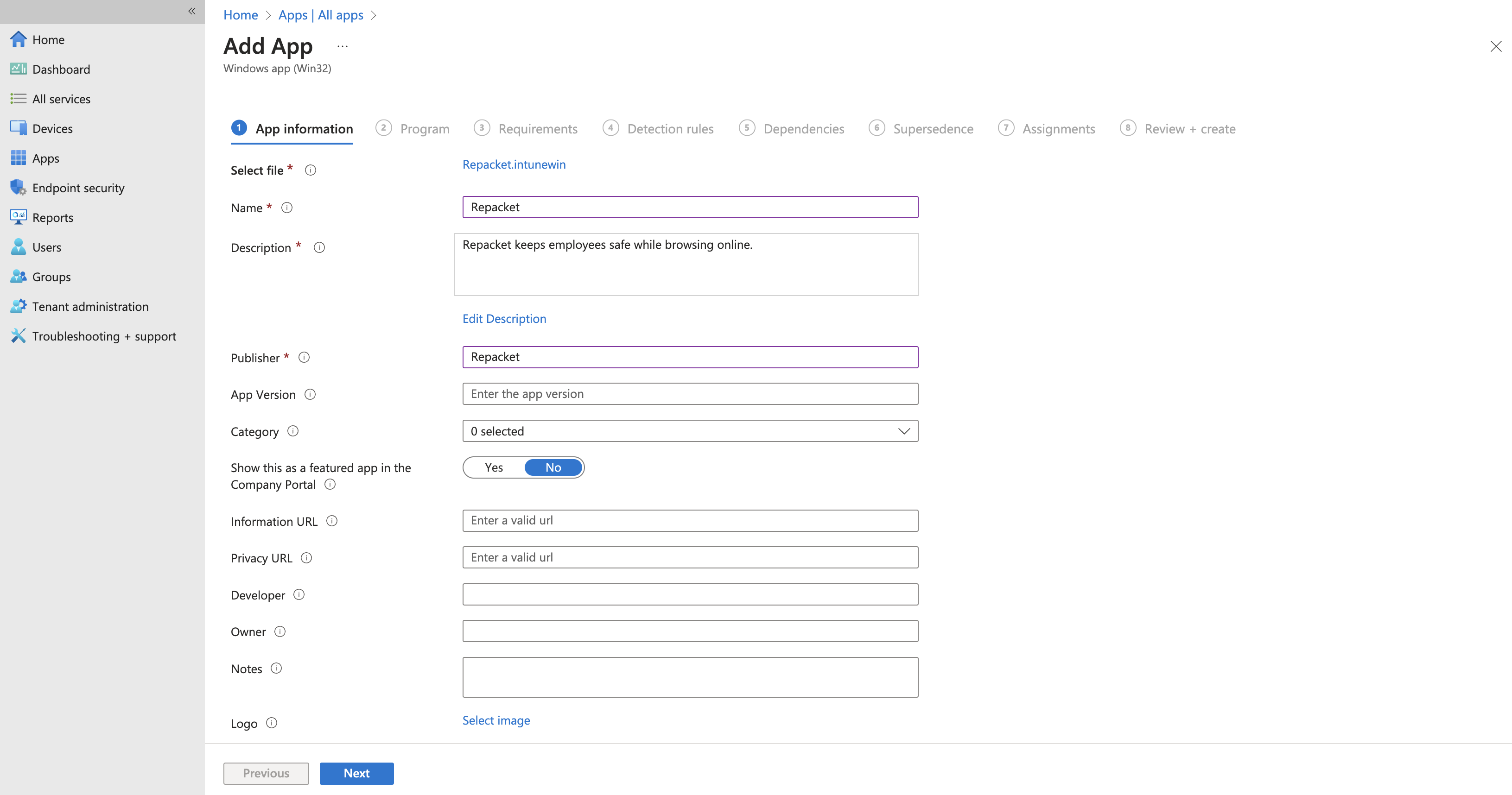
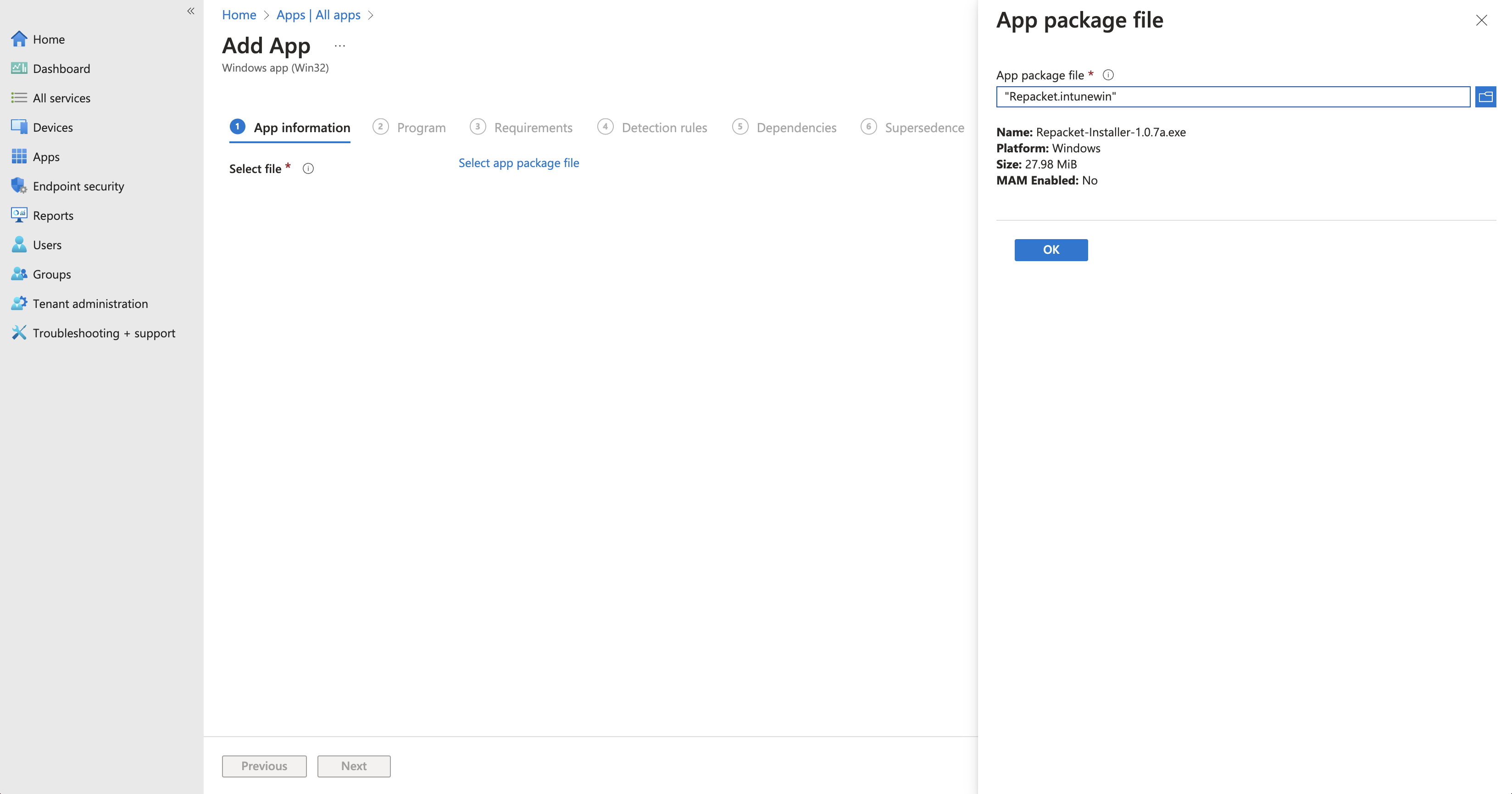 You can enter the following information into Intune:
Name: `Repacket`
Description: `Repacket keeps employees safe while browsing online.`
Publisher: `Repacket`
All other information can be ignored, as this will likely not be visible in your company portal.
You can enter the following information into Intune:
Name: `Repacket`
Description: `Repacket keeps employees safe while browsing online.`
Publisher: `Repacket`
All other information can be ignored, as this will likely not be visible in your company portal.
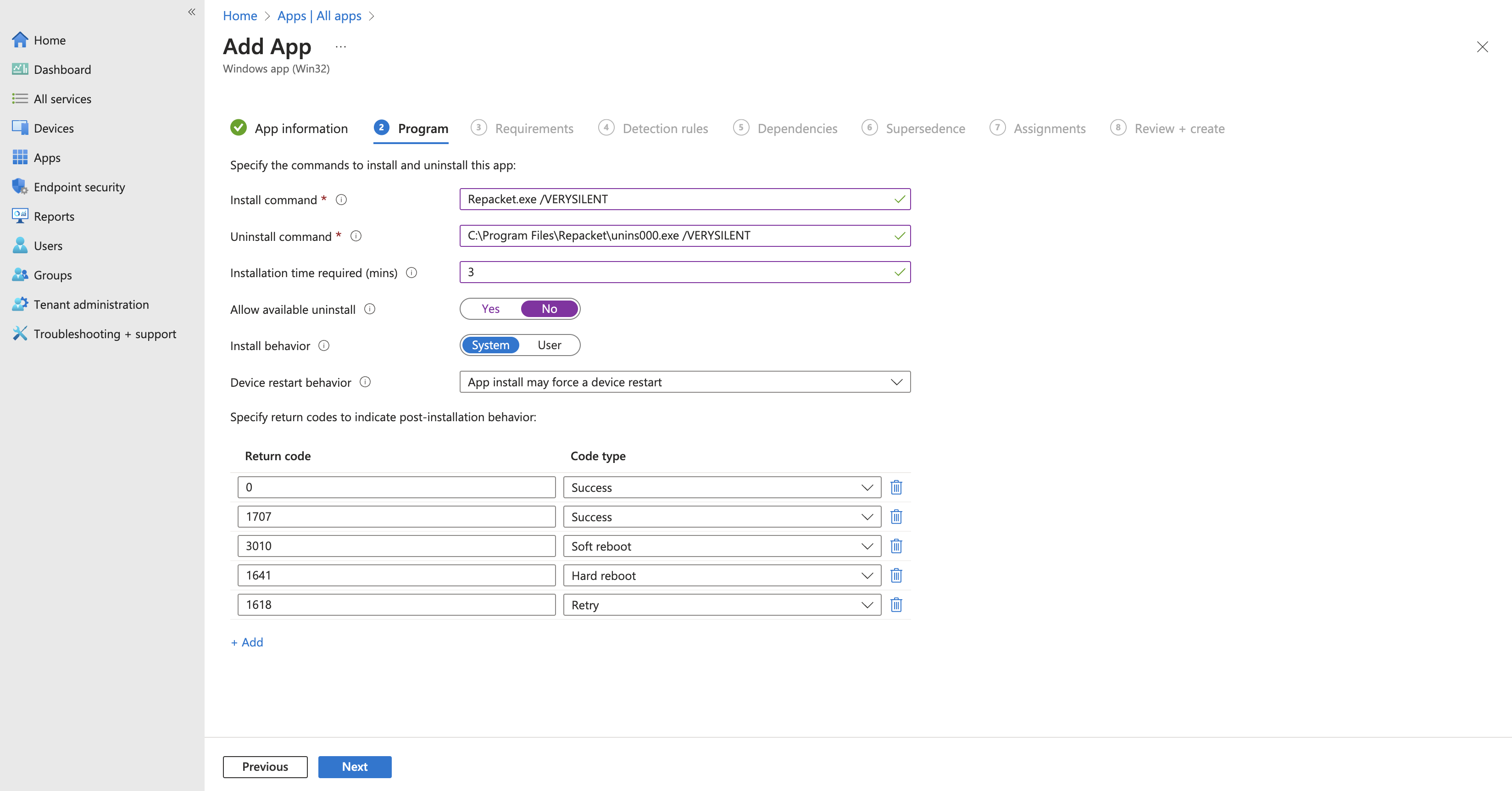
 You can enter the following information into Intune:
Install command:
```
Repacket.exe /VERYSILENT
```
Uninstall command:
```
C:\Program Files\Repacket\unins000.exe /VERYSILENT
```
Installation time (mins): `3`
Allow available uninstall: `No`
Install behavior: `System`
It's best to leave other settings as their defaults.
You can enter the following information into Intune:
Install command:
```
Repacket.exe /VERYSILENT
```
Uninstall command:
```
C:\Program Files\Repacket\unins000.exe /VERYSILENT
```
Installation time (mins): `3`
Allow available uninstall: `No`
Install behavior: `System`
It's best to leave other settings as their defaults.
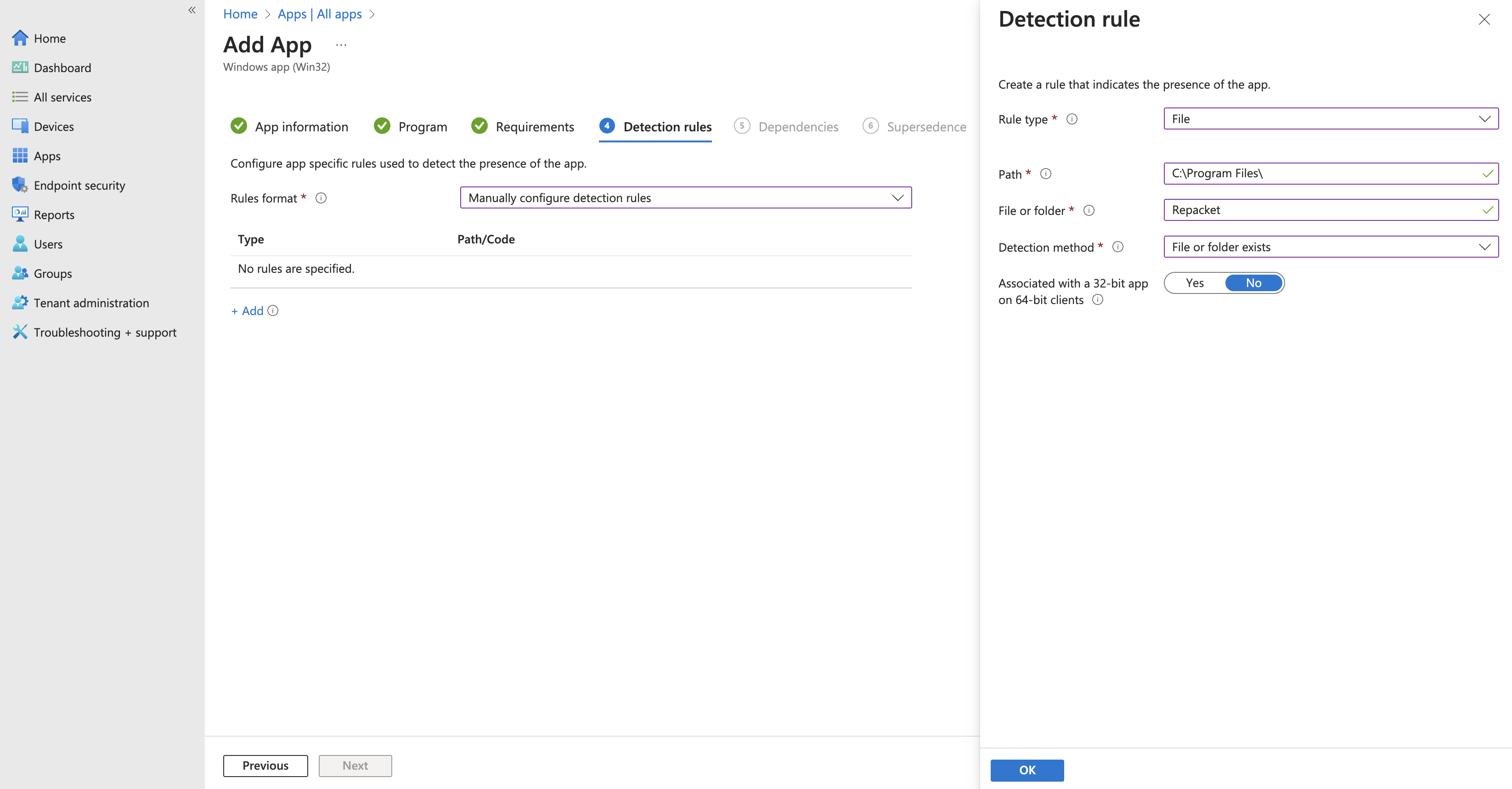
 Create a new File/Folder detection
Rule type: `File`
Path: `C:\Program Files\`
File or folder: `Repacket`
Detection method: `File or folder exists`
Create a new File/Folder detection
Rule type: `File`
Path: `C:\Program Files\`
File or folder: `Repacket`
Detection method: `File or folder exists`
 On the assignments screen - you'll need to choose what users or devices you will deploy Repacket to.
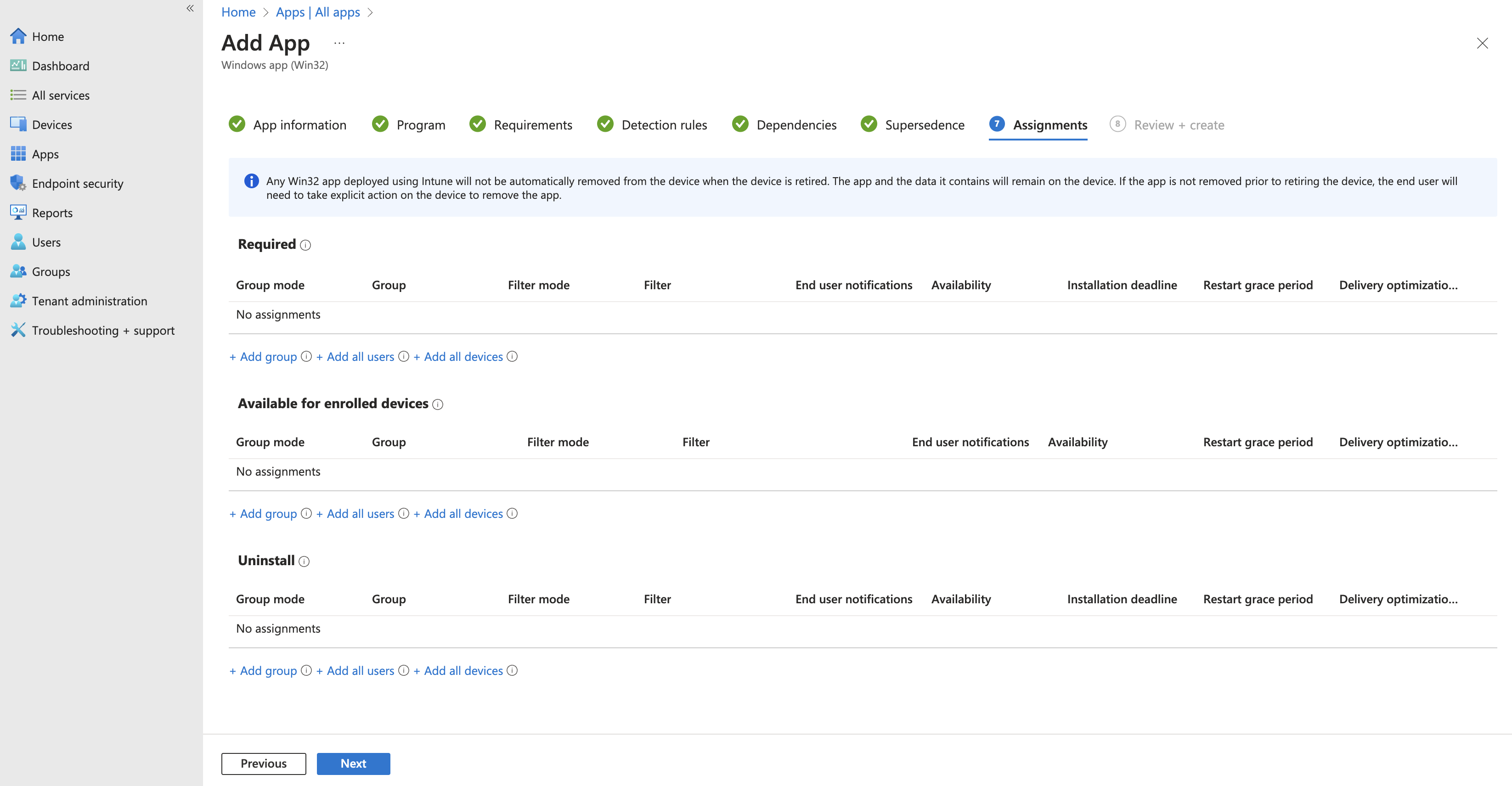 Congratulations, you should see Repacket automatically installed on your devices shortly after they perform an Intune sync.