> ## Documentation Index
> Fetch the complete documentation index at: https://docs.repacket.com/llms.txt
> Use this file to discover all available pages before exploring further.
# Kandji
> Deploy Repacket to your macOS fleet using Kandji.
export const Highlight = ({text}) => {text};
# Overview
This guide will walk you through deploying Repacket to your macOS devices using Kandji.
Kandji deployment has two main components:
1. **MDM Profile** – a configuration profile that contains the certificate, system extension, VPN / Network Extension, and privacy permissions so users never see a pop-up.
2. **Custom App Deployment** – a Kandji Custom App that installs the Repacket macOS app on your endpoints.
We recommend deploying the profile **before** the application so that all permissions are in place when Repacket launches.
## Deploying
Download both the configuration profile and installer package.\
You’ll upload these into Kandji in the following steps.
In your Kandji dashboard, navigate to and click\
.
Under the section, select and click .
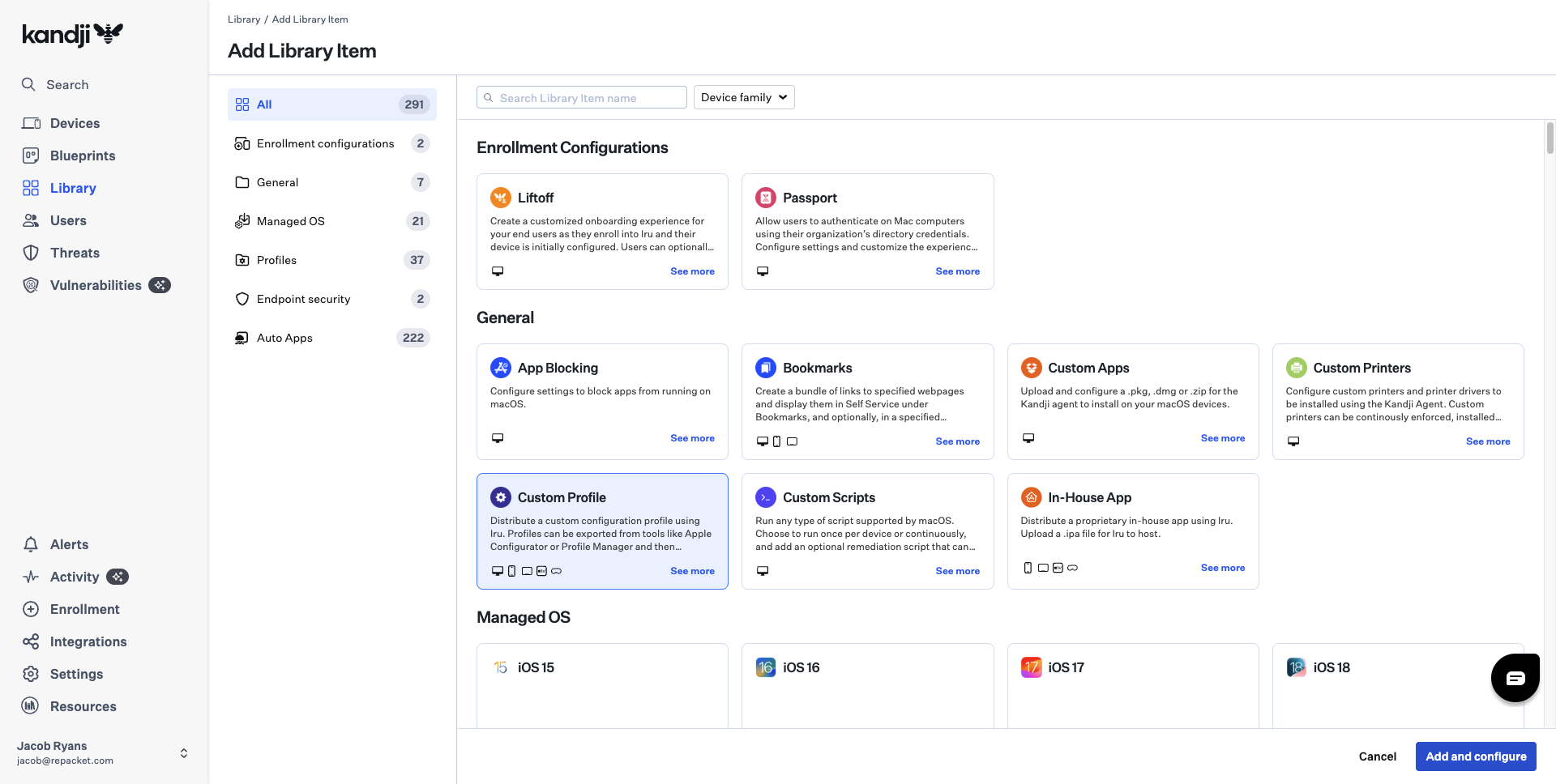 On the new Custom Profile:
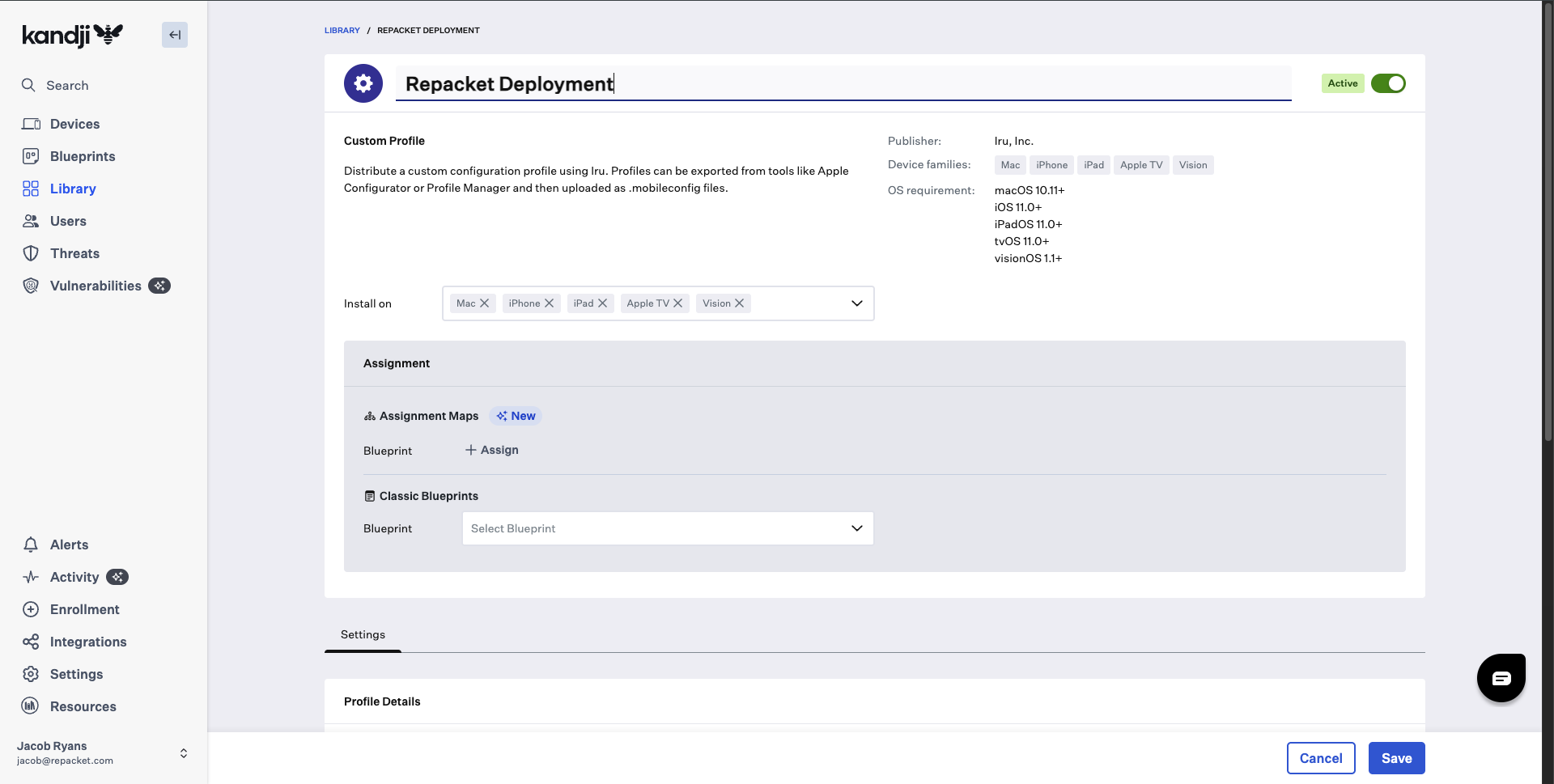
* Set a name such as .
* Ensure includes .
* Scroll to and upload the `Repacket.mobileconfig` file you downloaded earlier.
Kandji will show an XML preview of the profile contents once it's uploaded.
On the new Custom Profile:
* Set a name such as .
* Ensure includes .
* Scroll to and upload the `Repacket.mobileconfig` file you downloaded earlier.
Kandji will show an XML preview of the profile contents once it's uploaded.
 Still on the Repacket Deployment profile:
* In the section, choose the you want Repacket deployed on.
* You can use Assignment Maps or Classic Blueprints, depending on how your Kandji environment is configured.
We recommend deploying this profile to your target Blueprints **before** you deploy the Repacket app to avoid any user pop-ups.
Still on the Repacket Deployment profile:
* In the section, choose the you want Repacket deployed on.
* You can use Assignment Maps or Classic Blueprints, depending on how your Kandji environment is configured.
We recommend deploying this profile to your target Blueprints **before** you deploy the Repacket app to avoid any user pop-ups.
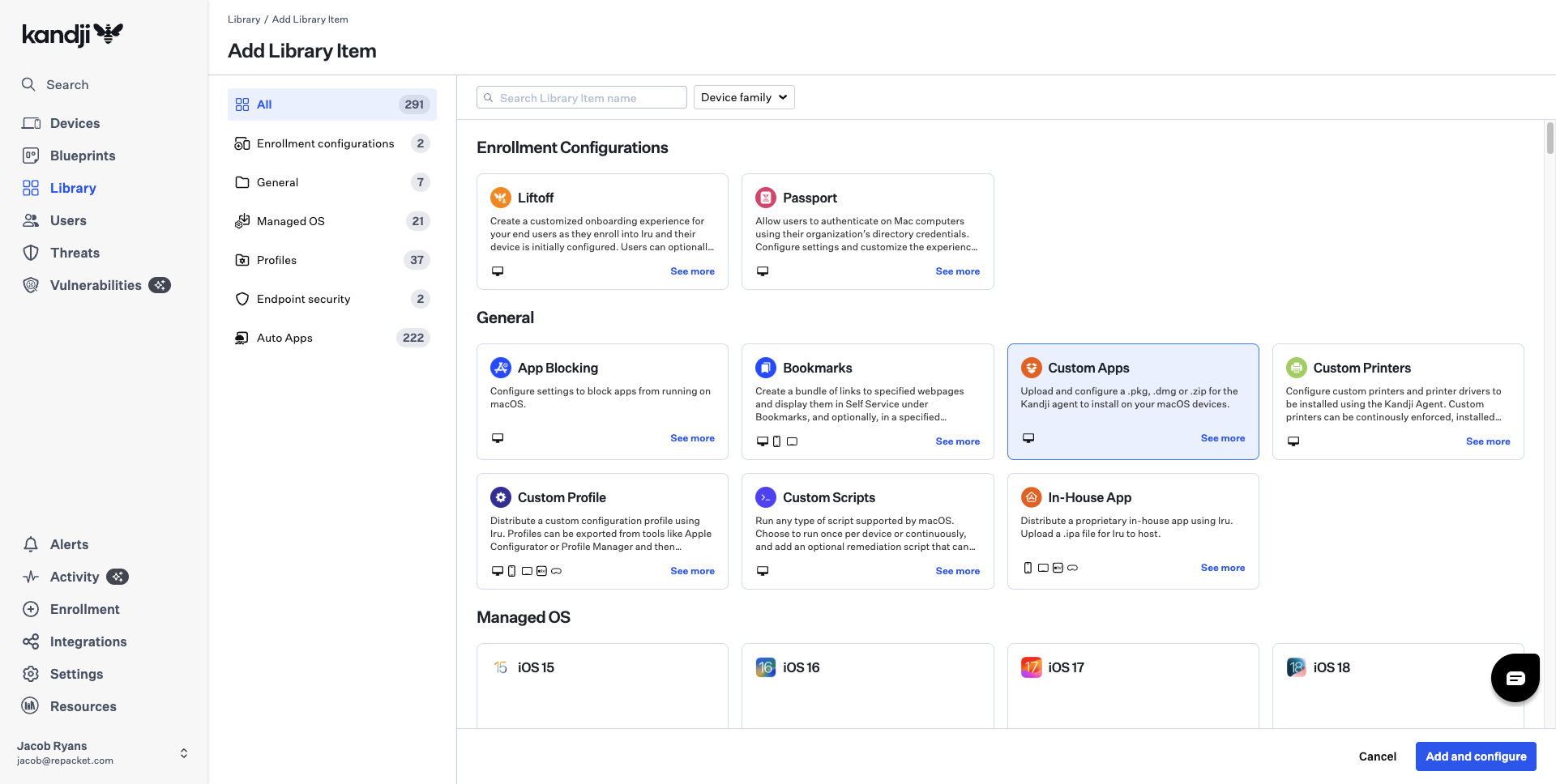
 Next, add Repacket as a Custom App.
1. Go back to and click .
2. Under , select and click .
Next, add Repacket as a Custom App.
1. Go back to and click .
2. Under , select and click .
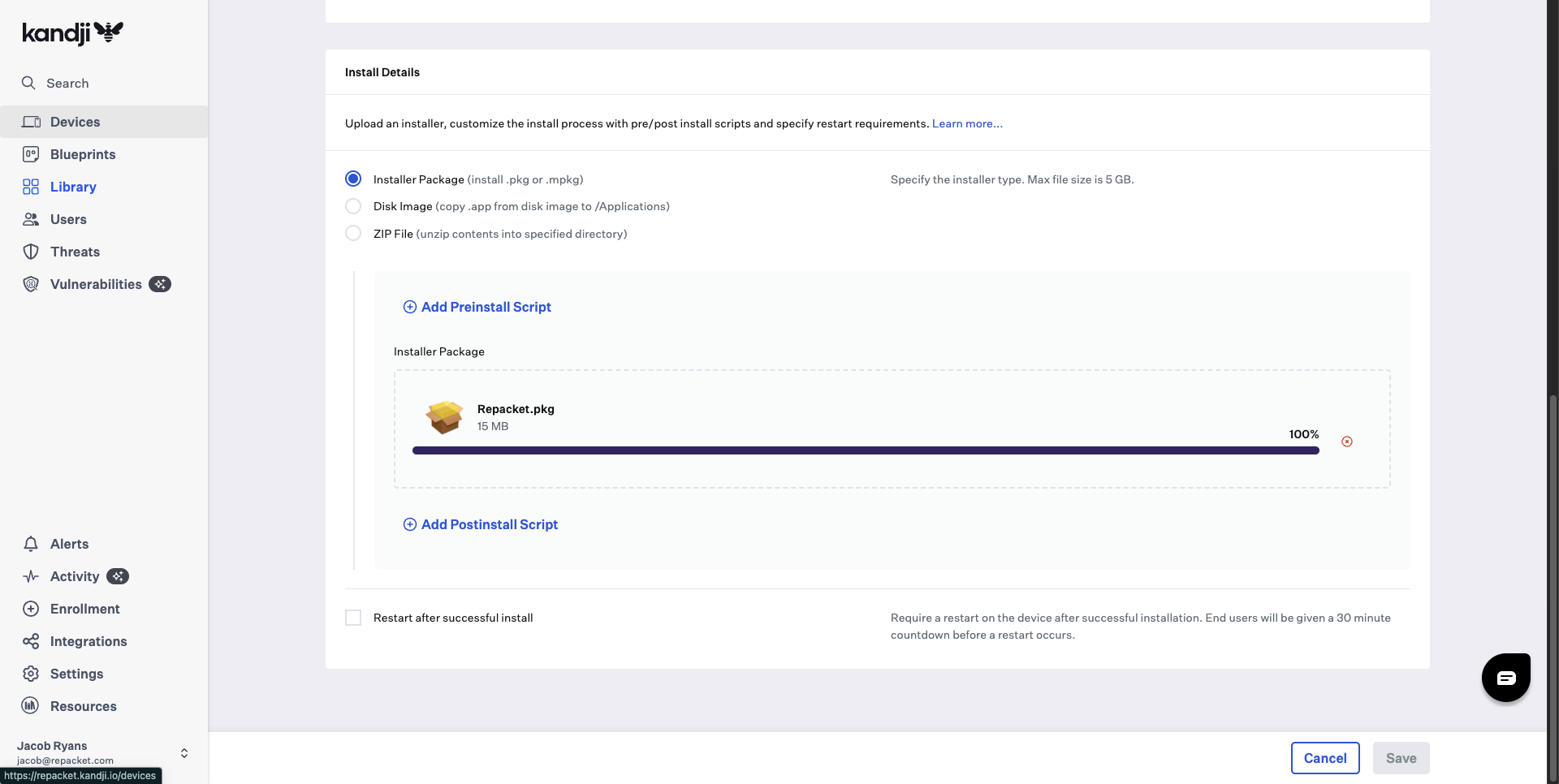
 In the Custom App configuration:
* Under , choose .
* Upload the `Repacket.pkg`
* Leave pre/post-install scripts empty unless your environment requires them.
In the Custom App configuration:
* Under , choose .
* Upload the `Repacket.pkg`
* Leave pre/post-install scripts empty unless your environment requires them.
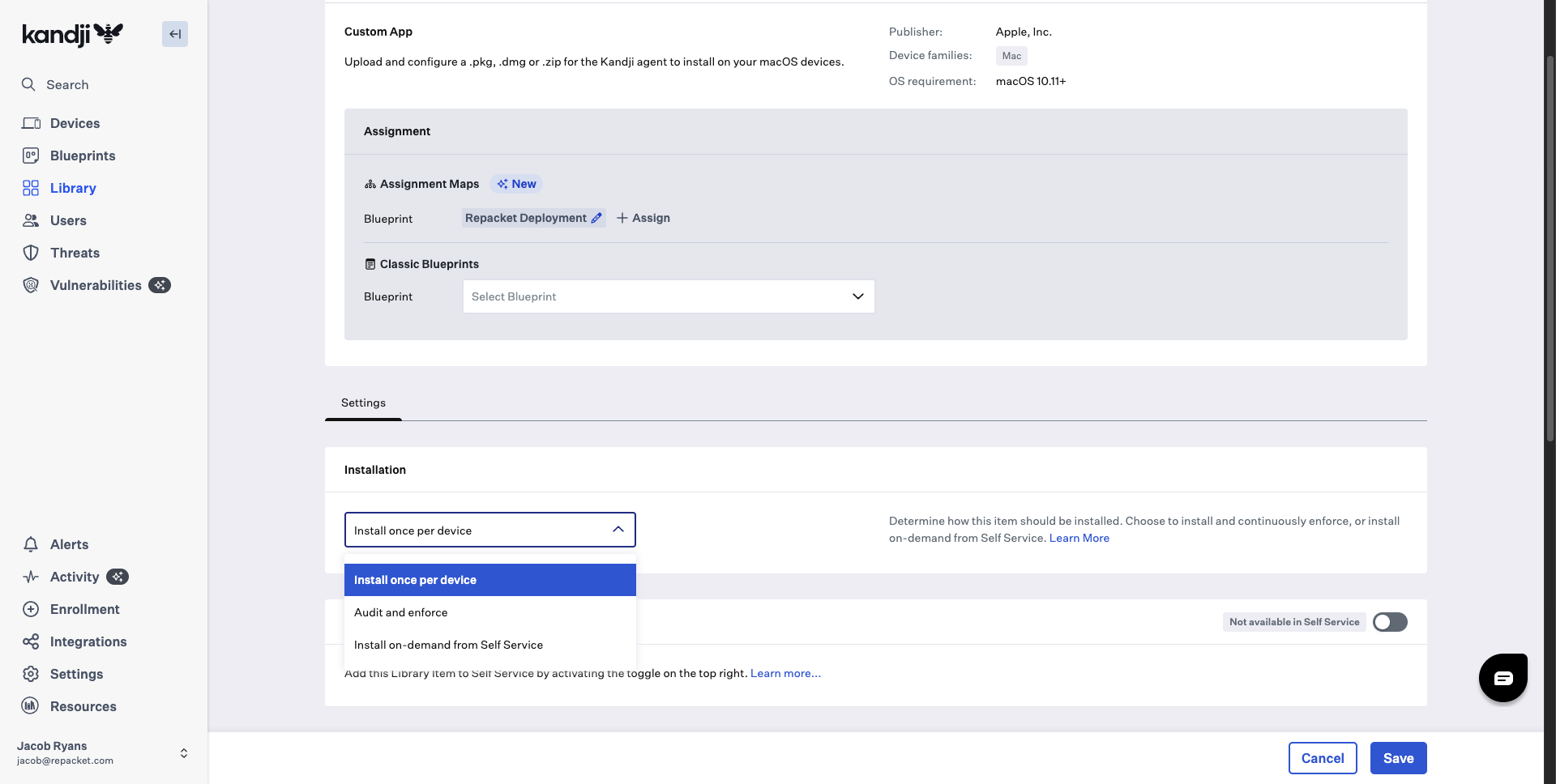
 In the section:
* Set to for a one-time install, or\
if you want Kandji to ensure Repacket stays installed.
* (Optional) Toggle Self Service if you would like users to install on-demand.
* Assign the Custom App to the same Blueprints you used for the Repacket Deployment profile.
In the section:
* Set to for a one-time install, or\
if you want Kandji to ensure Repacket stays installed.
* (Optional) Toggle Self Service if you would like users to install on-demand.
* Assign the Custom App to the same Blueprints you used for the Repacket Deployment profile.
 After the profile and Custom App are assigned:
* Devices in the scoped Blueprints will first receive the **Repacket profile** (certificate, system extension, VPN, and privacy permissions).
* Kandji will then install the **Repacket App** via the Custom App item.
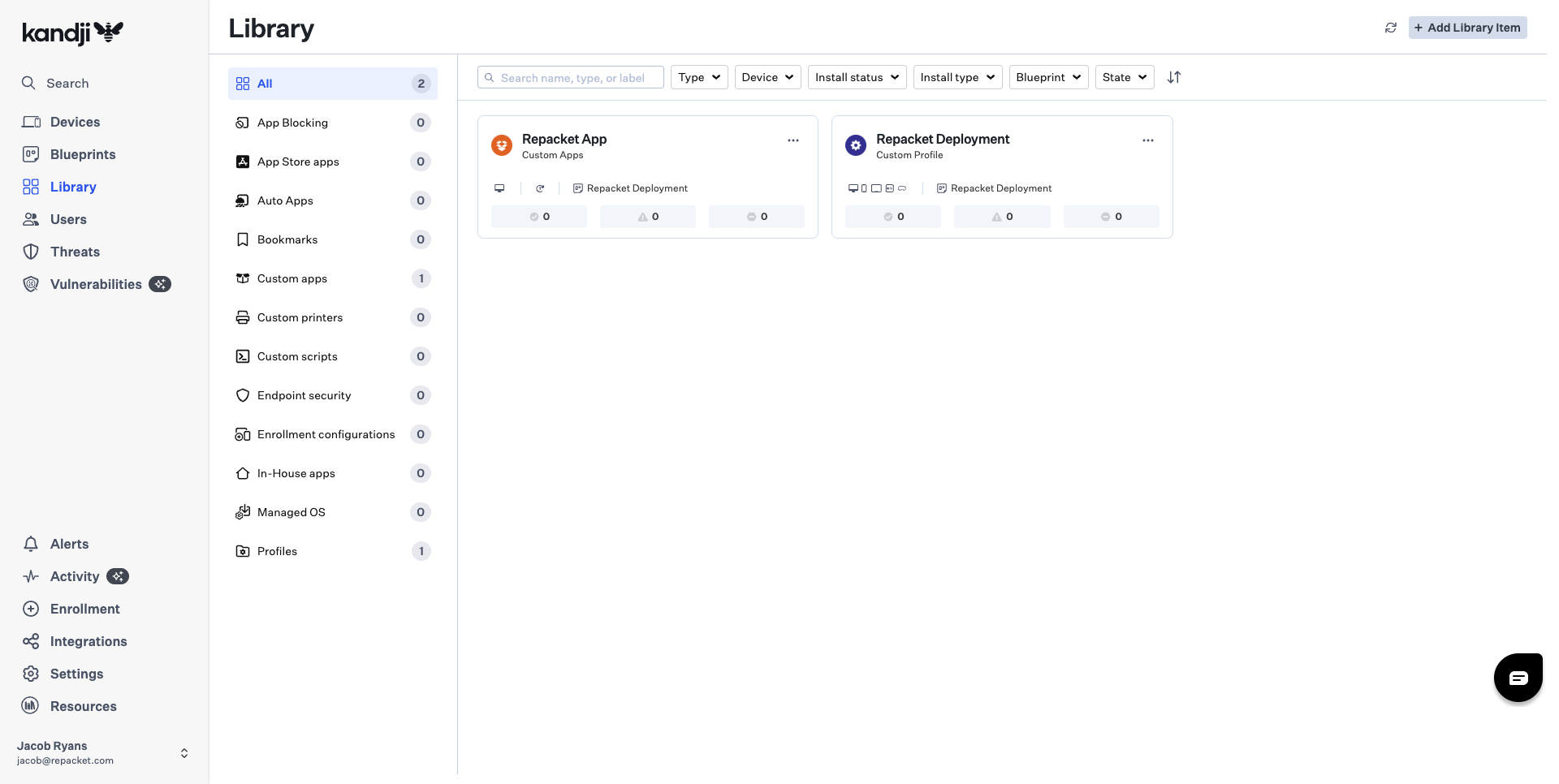
You can verify everything from the page, where you should see both the Repacket Deployment profile and the Repacket App listed.
After the profile and Custom App are assigned:
* Devices in the scoped Blueprints will first receive the **Repacket profile** (certificate, system extension, VPN, and privacy permissions).
* Kandji will then install the **Repacket App** via the Custom App item.
You can verify everything from the page, where you should see both the Repacket Deployment profile and the Repacket App listed.