

The Dashboard provides a comprehensive overview of security activity across your organization, helping you quickly identify threats, monitor trends, and respond to security events in real-time.
Overview
The Dashboard is your central command center for monitoring and managing security across your organization. It provides real-time visibility into threats, policy violations, and security events, enabling you to quickly identify and respond to potential security issues.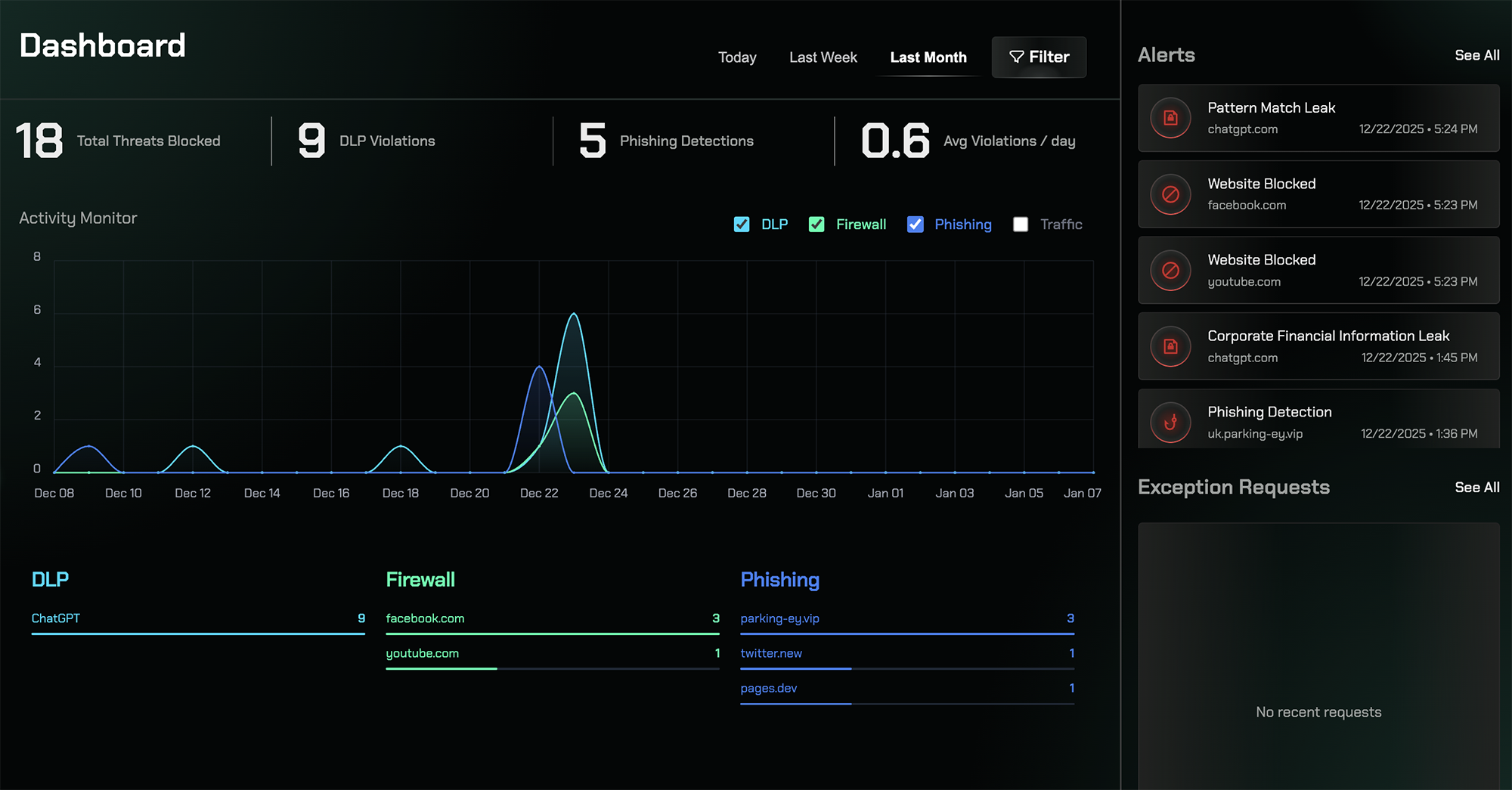
Real-Time Threat Monitoring
Monitor security events and threats as they occur across your organization
Summary Metrics
View high-level statistics including blocked threats, DLP violations, and phishing detections
Activity Timeline
Track security events over time to identify patterns and unusual behavior
Categorized Detections
Review alerts organized by security category for quick analysis
Dashboard Components
Summary Metrics
At the top of the dashboard, summary metrics provide an at-a-glance view of your organization’s security posture. These key performance indicators show:- Threats Blocked: Total number of security threats that have been prevented
- DLP Violations: Count of Data Loss Prevention policy violations detected
- Phishing Detections: Number of phishing attempts identified and blocked
Activity Chart
The activity chart visualizes security events over your selected time range, displaying when events occurred throughout the day, week, or month. This timeline view helps you:- Identify spikes in security activity
- Detect unusual patterns or anomalies
- Correlate events with specific time periods
- Track trends over time
Detection Categories
Below the activity chart, security detections are organized by category to help you understand which types of threats are most prevalent:- Data Loss Prevention (DLP): Shows destinations where sensitive data uploads were detected or blocked
- Firewall: Displays blocked or warned access attempts to restricted categories or domains
- Phishing: Highlights phishing attempts that were identified and prevented
Alerts Panel
The Alerts panel provides a chronological list of individual security events, allowing you to:- Review events in the order they occurred
- Investigate specific incidents quickly
- Access detailed information about each alert
- Take immediate action on security events
Exception Requests
The Exception Requests section displays user requests to bypass security rules, giving you visibility into:- Who requested access to blocked resources
- What resources were requested
- When the requests were made
- The current status of each request (pending, approved, or denied)
Accessing the Dashboard
Visit the Security Dashboard in your Repacket dashboard to view real-time security activity and monitor threats across your organization.Related Features
Alerts
View detailed security alerts and notifications
Audit Logs
Review comprehensive activity logs for investigation
Data Loss Prevention
Configure DLP rules to protect sensitive data
Firewall
Manage firewall rules that generate dashboard events