

Overview
Patterns enable you to detect sensitive data using predefined or custom pattern matching rules. These patterns can identify structured data formats like credit card numbers, Social Security Numbers, email addresses, and other sensitive information based on recognizable patterns and formats.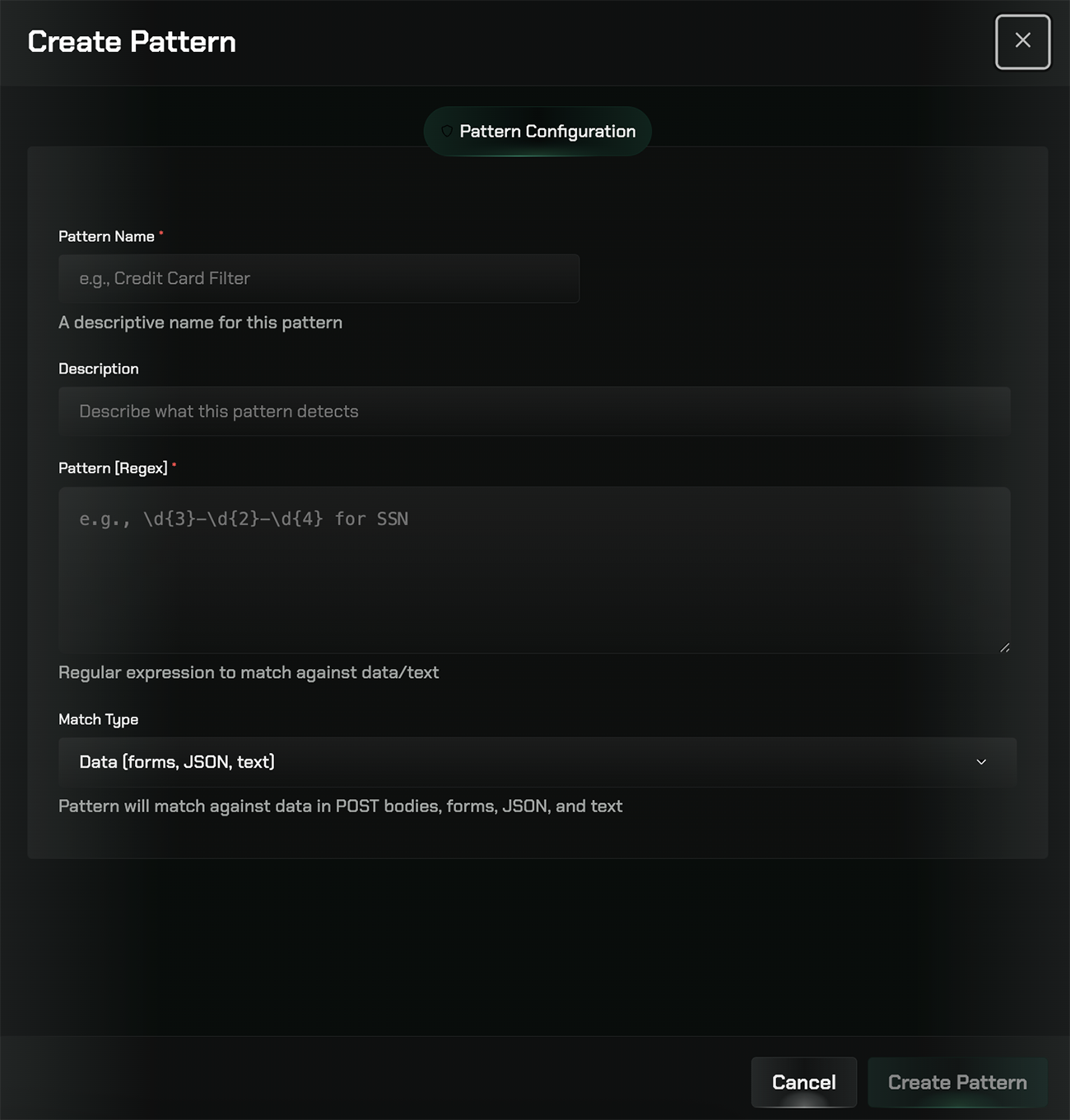
How Patterns Work
Pattern-based detection uses regular expressions and predefined templates to identify sensitive information in content. This method is particularly effective for detecting structured data that follows consistent formats, such as:- Credit card numbers (16-digit sequences with specific validation)
- Social Security Numbers (XXX-XX-XXXX format)
- Phone numbers (various international formats)
- Email addresses
- IP addresses
- Custom patterns specific to your organization
Pattern Types
Predefined Patterns
Use built-in patterns for common sensitive data types like SSNs, credit cards, and more.
Custom Patterns
Create custom regex patterns to match organization-specific sensitive data formats.
Creating Custom Patterns
1
Navigate to Patterns
Go to the Data Loss Prevention section and select the Patterns tab.
2
Create a new pattern
Click the “Create new pattern” button to define a custom detection pattern.
3
Define the pattern
Enter a regular expression or use the pattern builder to define what should be detected.
4
Test your pattern
Use the test feature to verify your pattern matches the intended data formats.
5
Assign to rules
Apply your pattern to DLP rules to enable detection across your organization.
Best Practices
Start with Predefined Patterns
Start with Predefined Patterns
Begin with built-in patterns for common data types before creating custom patterns.
Test Thoroughly
Test Thoroughly
Always test patterns against sample data to avoid false positives or negatives.
Combine with Other Detection Methods
Combine with Other Detection Methods
Use patterns alongside AI Filters for comprehensive sensitive data detection.
Related Features
Rules
Configure DLP rules to safeguard sensitive data
AI Filters
Configure AI-powered detection filters for sensitive data
Testing
Test DLP filters against uploaded files before enforcing in production