

Overview
The Testing feature allows you to verify whether your DLP rules correctly detect sensitive data before they are enforced in production. Upload files and test them against your configured DLP filters to ensure accurate detection and avoid false positives.How It Works
Test DLP matching by selecting a DLP filter and uploading files to see whether they trigger the selected filter. The system processes the files and generates an analytics report showing which files matched and which did not.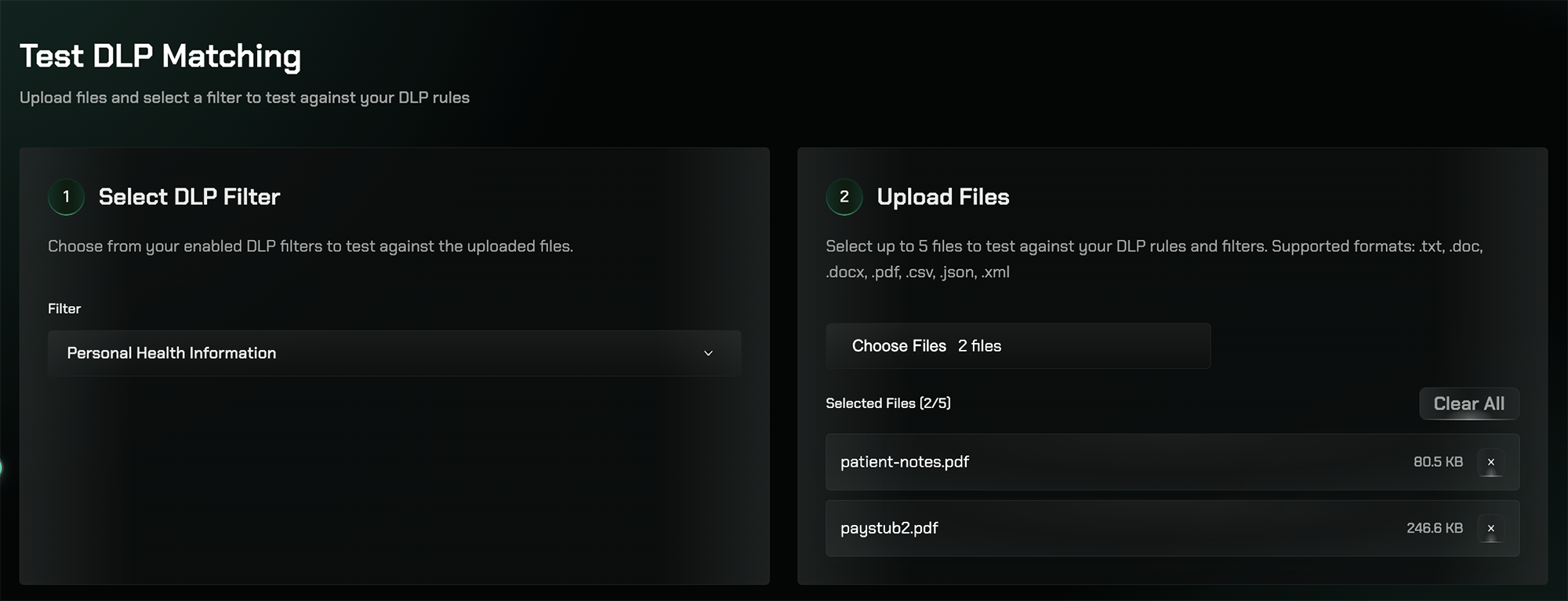
Testing DLP Filters
1
Select a DLP Filter
Choose one of your enabled DLP filters to test against uploaded files. For example, select the Personal Health Information (PHI) filter to test detection of patient names, medical record numbers, diagnoses, medications, and other healthcare data.
2
Upload Files
Upload up to 5 files at once to test against the selected filter. Supported formats include: .txt, .doc, .docx, .pdf, .csv, .json, and .xml.
3
Review Results
After processing, the system generates an Analytics Report summarizing the results, showing which files matched the filter and which did not.
Analytics Report
The Analytics Report provides a comprehensive summary of the test results, including overall statistics and file-level breakdowns.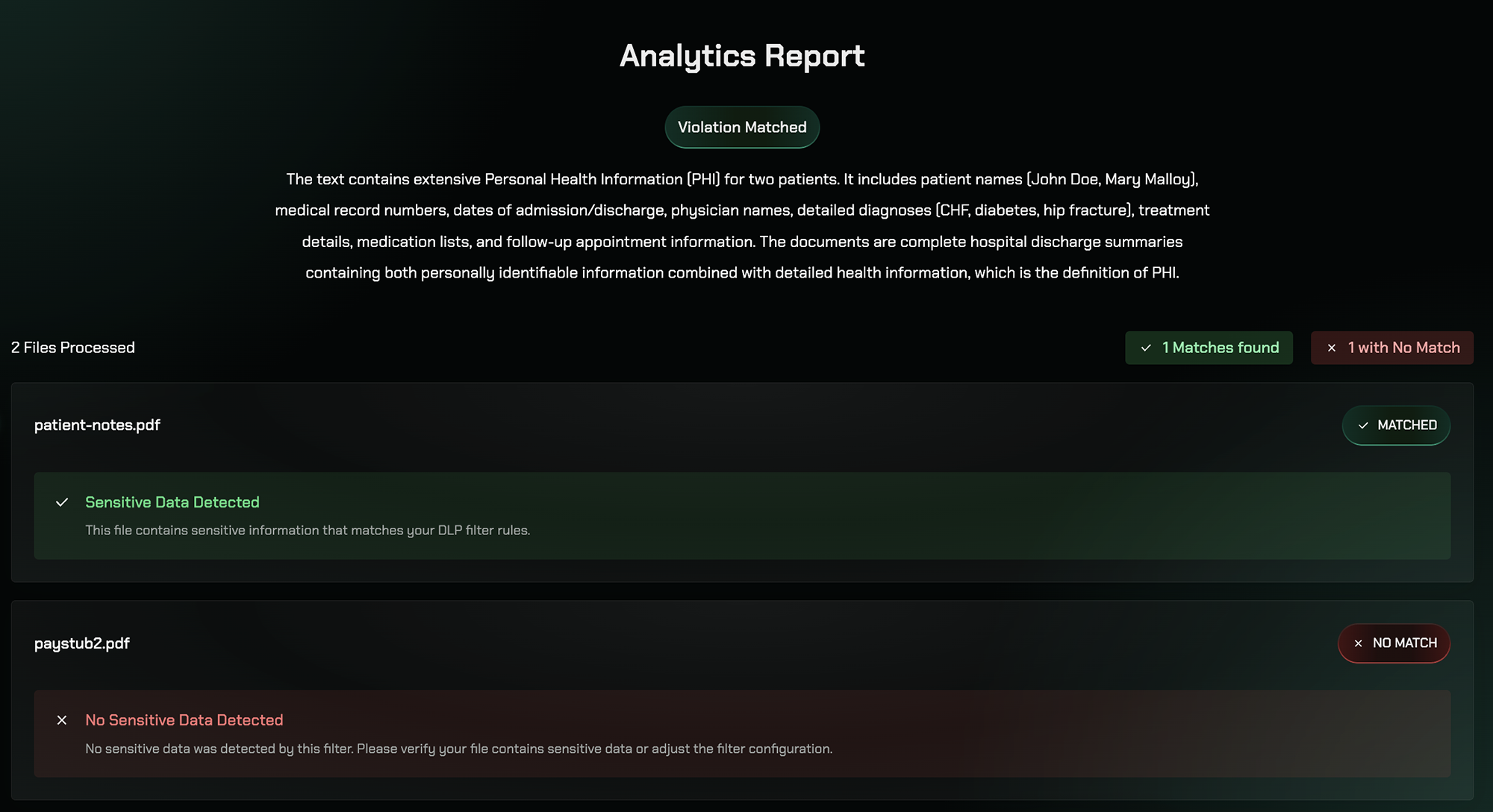
Overall Results
The report shows:- Total files processed
- Number of matches found
- Number of files with no match
File-Level Breakdown
Each file in the test receives one of two results: ✅ Matched — The file contains sensitive data relevant to the selected filter. The report details what types of sensitive information were detected. ❌ No Match — The file does not contain sensitive data relevant to the selected filter. No action is required.Key Features
Multiple File Testing
Test up to 5 files simultaneously against your DLP filters
Multiple Formats
Support for .txt, .doc, .docx, .pdf, .csv, .json, and .xml files
Detailed Reports
Get comprehensive analytics showing what sensitive data was detected
Pre-Production Validation
Verify filter accuracy before enforcing rules in production
Best Practices
Test Before Enforcing
Test Before Enforcing
Always test your DLP filters against sample files before enabling them in production to ensure accurate detection.
Use Representative Samples
Use Representative Samples
Test with files that represent the types of content your organization typically handles to validate real-world scenarios.
Review False Positives
Review False Positives
If a file incorrectly matches, review the detected content to refine your filter configuration.
Test Multiple Filters
Test Multiple Filters
Test different DLP filters (PHI, PII, PCI, etc.) to ensure each one works as expected for its specific data type.
Related Features
Rules
Configure DLP rules to safeguard sensitive data
AI Filters
Configure AI-powered detection filters for sensitive data
Patterns
Configure pattern-based detection for sensitive data