

Overview
The Data Loss Prevention (DLP) feature provides advanced controls to safeguard sensititive data online. Repacket recognizes sensitive data being uploaded to and blocks it. Today, Repacket enables organizations to detect and take action on a wide variety of sensitive data types.Personal Health Info (PHI)
Check employee uploads for any combination of PHI, and block it.
Personal Identifiable Info (PII)
Identify any level of PII in uploads, from basic information to SSNs.
Sensitive Financial Info (PCI/CFI)
Repacket can recognize cardholder information and other sensitive corporate financial info.
Everything Else
Use Repacket to protect sensitive information of any kind - trade secrets, ITAR/EAR data, CUI, and more.
How It Works
The DLP system operates by analyzing traffic based on the configured rules and applying specified actions when sensitive data is detected. Rules can be tailored to specific applications, users, and analysis types.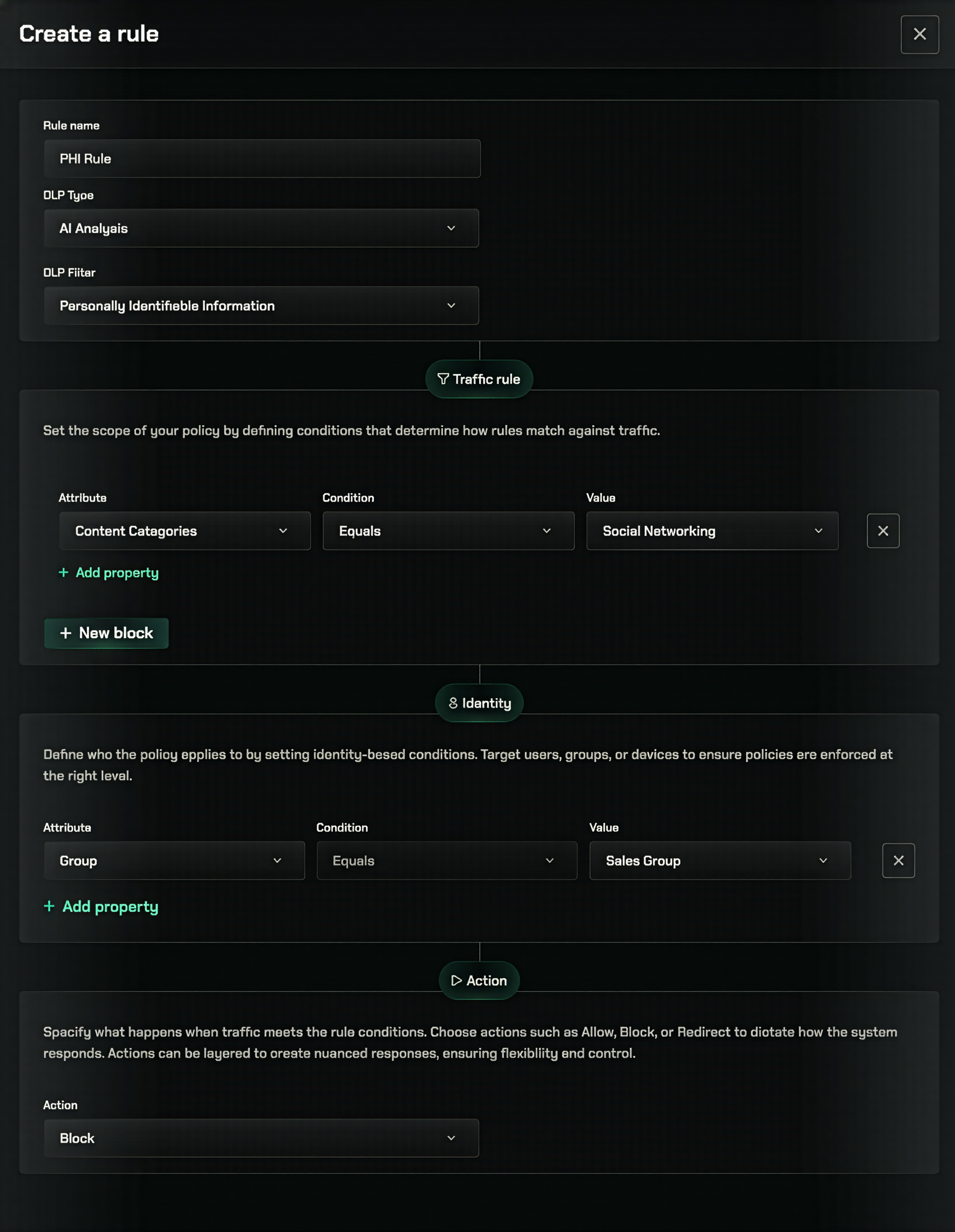
Creating DLP Rules
1
Navigate to DLP Settings
Go to the Data Loss Prevention section in your Repacket dashboard.
2
Create a new rule
Click the “Create new rule” button in the top right corner.
3
Name your rule
Give your rule a descriptive name (e.g., “Block Healthcare Upload to ChatGPT”).
4
Select matching rules
Select what traffic properties or categories this should apply to.
5
(Optional) Select specific users
Select users that this rule should or shouldn’t apply to.
6
Select Analysis Type
We suggest applying “Text and Uploads” for all rules to target plaintext and file-based content.
7
Select an action
Select Allow, Warn or Block based on your security policy.Warn actions can be configured to show a custom template, suggesting a company-approved alternative, for instance.
8
Save Your Rule
Apply your changes to enforce the new DLP rule across your network.
Best Practices
Start with Critical Applications
Start with Critical Applications
Begin by applying DLP rules to high-risk applications like AI assistants and file sharing platforms.
Use Warn Mode Initially
Use Warn Mode Initially
Consider starting with Warn mode to understand detection patterns before moving to Block mode.
Create Role-Based Exceptions
Create Role-Based Exceptions
Define exceptions based on job roles rather than individuals when possible for easier management.
Related Features
AI Filters
Configure AI-powered detection filters for sensitive data
Patterns
Configure pattern-based detection for sensitive data
Testing
Test DLP filters against uploaded files before enforcing in production